Smart NotesNotes and reminders you create by chatting
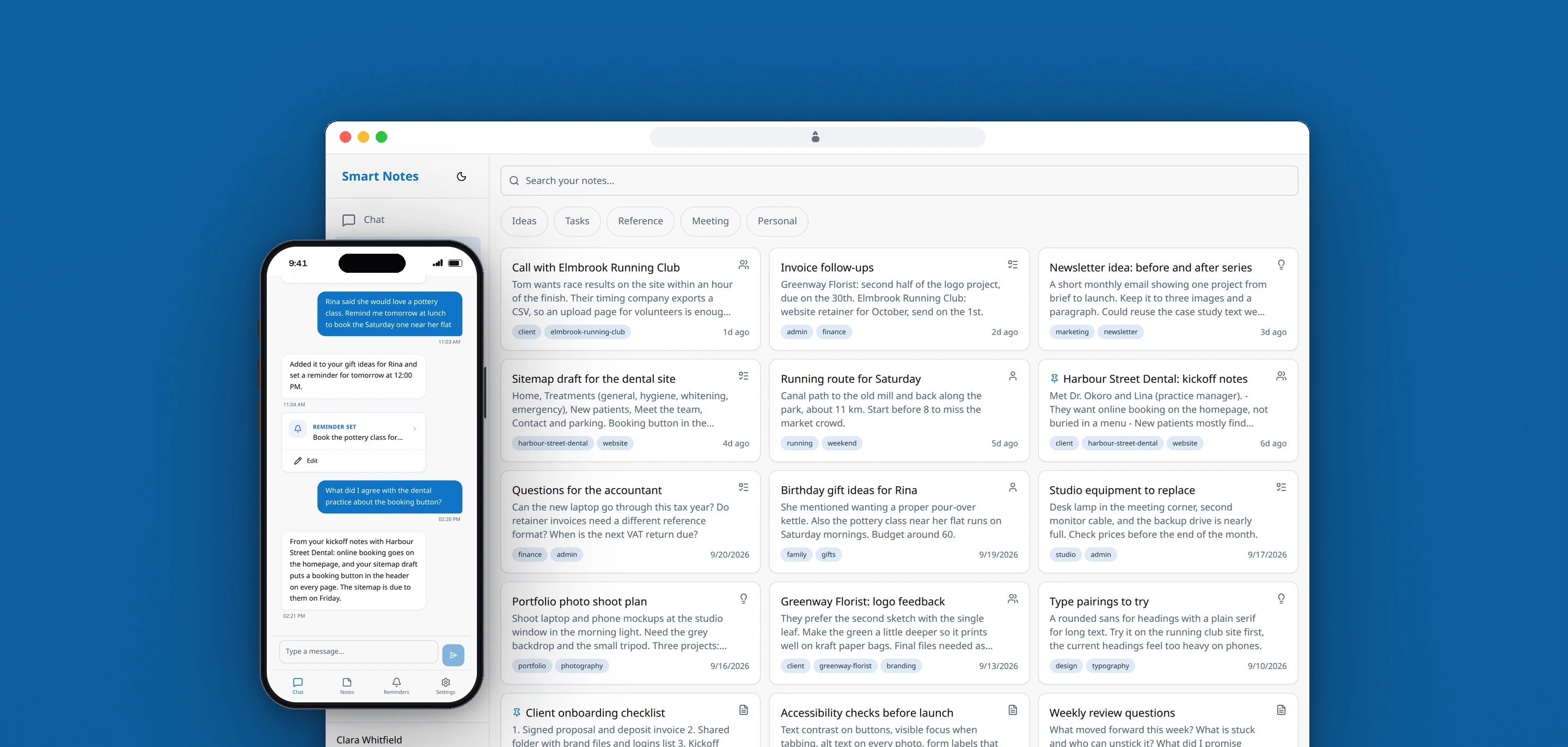
Smart Notes is a notes and reminders app that works like a chat: you type what is on your mind, and it is saved as a note, set as a reminder or answered from what you have already saved. We specified, designed and built the web app and the API behind it.
- Client
- Own product
- Sector
- Productivity software
- Year
- 2026
- Platforms
- Web app, Mobile web
- Services
- Product and UX design, Web development
One place for the things people mean to remember. A message typed into the chat is sorted into a note, a reminder, both, or a question, and whatever was saved appears as a card in the conversation. Notes, reminders and what the app has learned about its user each have their own screen as well.
Built for
- People who keep ideas in one app and reminders in another, and lose the link between them.
- Freelancers and small business owners who note client calls, deadlines and follow-ups as they happen.
- Anyone who would rather type a sentence than fill in a form.
The problem
Notes apps store things and never prompt. Reminder apps prompt without saying why. With the two in separate apps, the link between what someone wrote down and what they need to do about it gets lost.
Finding an old note is hard when you do not remember the exact words you used.
Putting a model behind every message brings its own problems: a reminder set for the wrong time, the same message saved twice after a double tap, and a bill that grows with every conversation.
Goals
- 01Capture a note or a reminder from one plain sentence.
- 02Ask before saving when the time or the subject is unclear.
- 03Find notes by meaning as well as by exact words.
- 04Show users what the app has learned about them, and let them delete any of it.
- 05Keep AI spending inside a daily budget per user without ever blocking anyone.
- 06Keep the AI out of sight: no model names or provider errors in the interface.
Our role
We wrote the product and technical specification, then designed and built the web app and the API.
What we delivered
- Product idea, requirements, user flows, functional specification and data model
- Mobile-first React web app for chat, notes, reminders and settings
- Express API with Prisma and PostgreSQL, in a pnpm monorepo with shared types and validation
- Chat pipeline: intent classification, note and reminder extraction, and streamed replies
- Note search that combines PostgreSQL full-text search with pgvector
- Reminder scheduling, snoozing and repeats on BullMQ and Redis
- A learned profile with confidence levels, shown to the user
- Accounts with sign-up, login, active sessions and account deletion
- AI usage logging and a daily token budget per user
How we worked
- 01
Specify before building
The product idea, requirements, user flows, functional specification, data model and security rules were written before the code, with architecture decision records for the stack and the ID format.
- 02
Write the AI cost rules down
A guardrails document set the split between a small and a large model, what counts as essential, and a budget that slows down when it runs low and never shows a limit message.
- 03
Check the chat against the documents
The chat module was compared with the documentation requirement by requirement, in a matrix recording where each one was met, partly met or missing.
- 04
Start every screen at phone width
Layouts were designed for the phone first, with the message box always above the bottom navigation and the main actions within reach of a thumb, then widened for larger screens.
Screens and features
Type it the way you think it
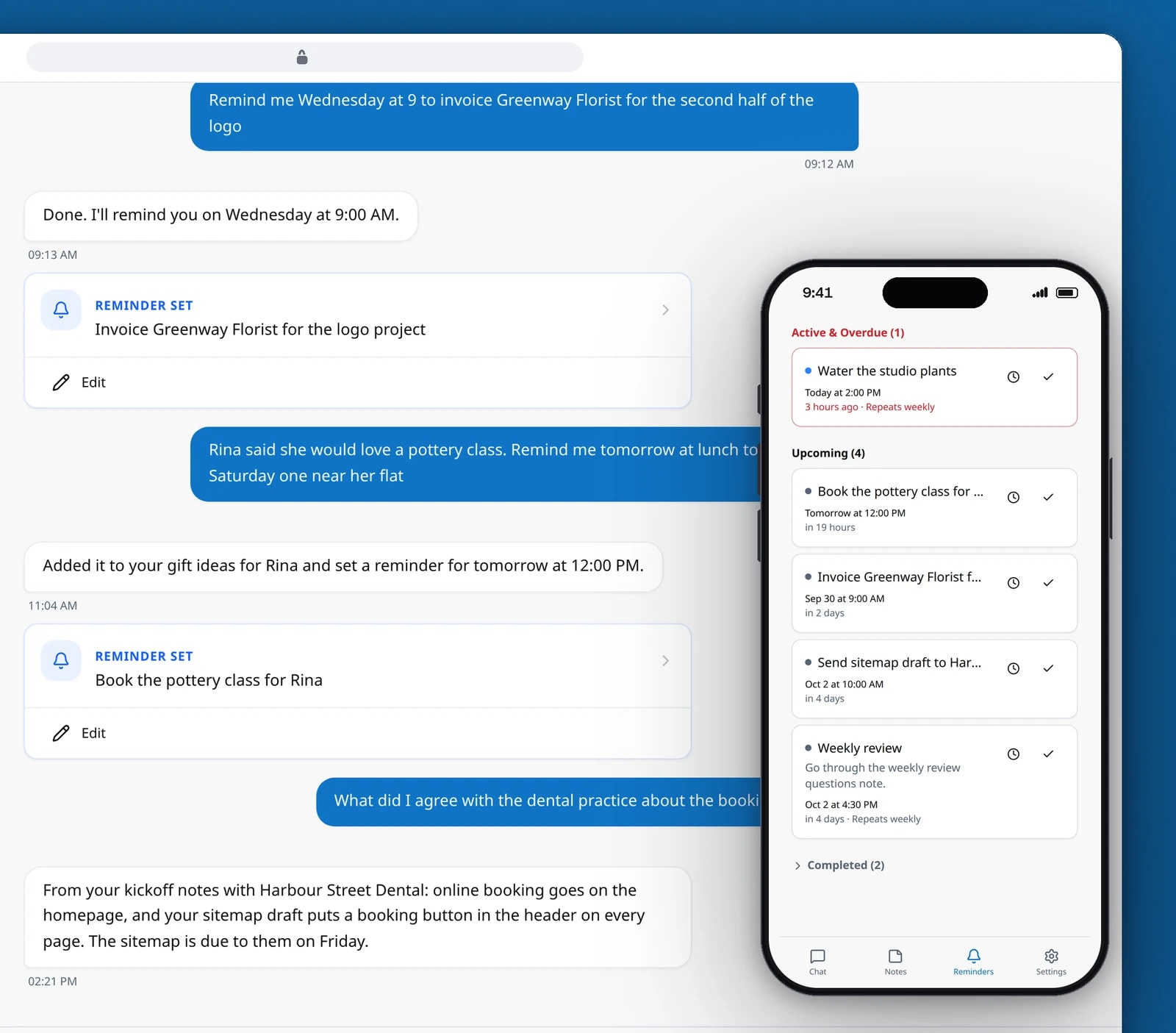
The app decides whether a message is a note, a reminder or a question, and files it in the right place.
Reminders, and what the app has learned
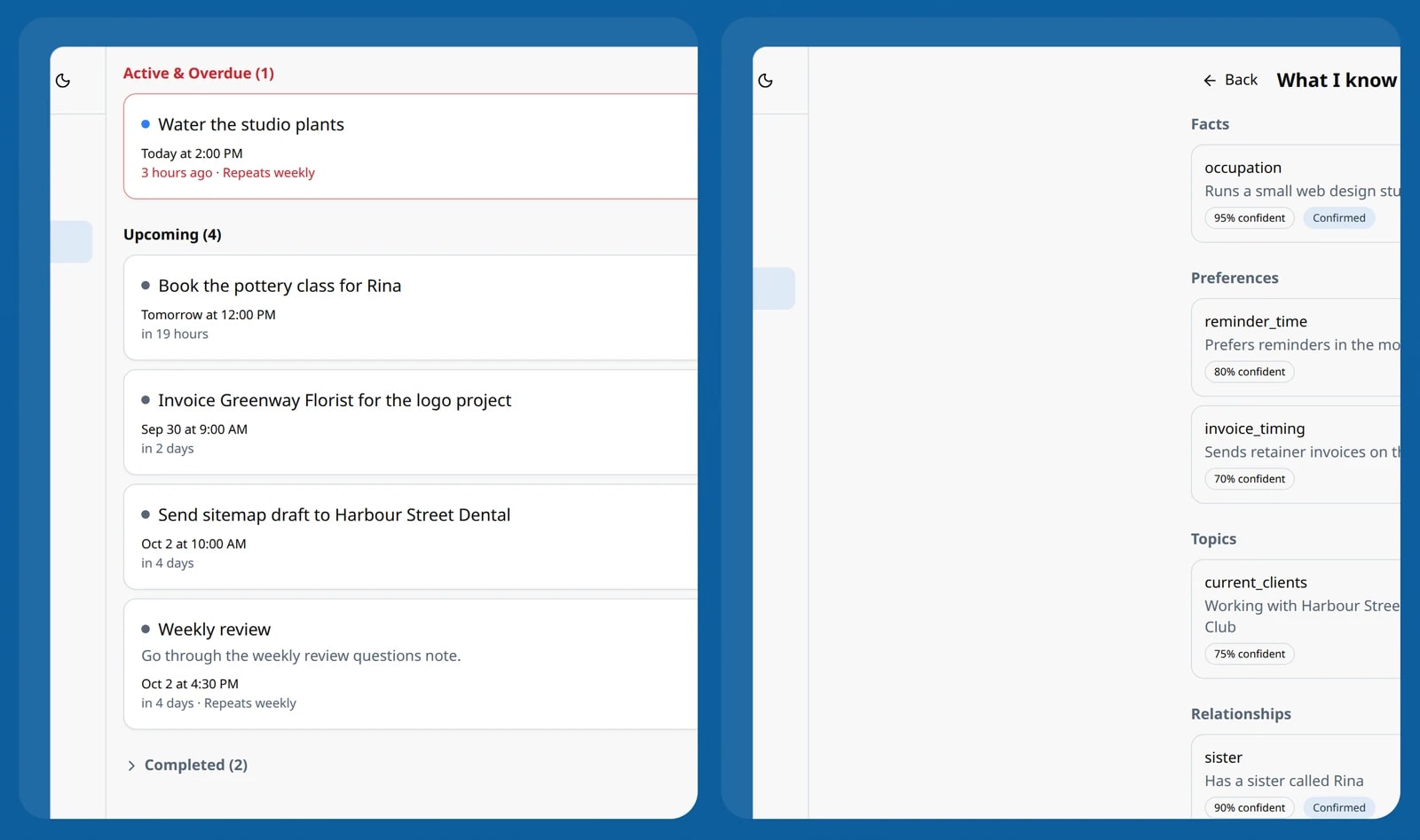
Reminders can repeat and be snoozed. Every learned fact shows its confidence and can be deleted.


One message, the right place
Each message is classified as a note, a reminder, both, a question or plain conversation. A saved note or reminder appears as a card in the chat with a link to edit it.
It asks when it is unsure
A note or reminder is only created when the classification is confident. A reminder without a usable time, or with a time that has already passed, becomes a follow-up question and is not saved.
Questions answered from saved notes
When a message is a question, the user's matching notes and reminders are found by keyword and by meaning and passed to the reply as its context.
Notes with types, tags and pins
Notes are sorted into ideas, tasks, reference, meetings and personal, carry tags, and can be pinned. The notes screen filters by type and searches titles and text.
Reminders that repeat and persist
Reminders can be one-off, daily, weekly or monthly, and can be snoozed for 15 minutes, an hour, until tomorrow morning or a week. A persistent reminder fires again every two hours by default until it is done, up to six times.
What I know about you
A settings page lists the facts, preferences, topics, relationships and routines the app has picked up from conversations, each with a confidence level. Any entry can be deleted.
Account controls
Active sessions can be reviewed and signed out one by one. Deleting the account removes the user's notes, reminders, messages and learned profile in a single transaction.
Technical choices
What the product is built with, and why.
- One AI provider interface
- Classification, extraction, replies, memory and embeddings all go through one interface, implemented for OpenAI. Classification runs on gpt-4o-mini and replies on gpt-4o, and every call is logged with its tokens and estimated cost.
- A daily budget that slows down and never stops
- Each user has a daily budget of 200,000 tokens. Past 70 percent, replies that save nothing move to the smaller model; past 90 percent, every reply does. Nobody is shown a limit or refused an answer.
- Hybrid search in PostgreSQL
- Full-text search and a pgvector similarity search run in parallel, and the merged results are ranked on meaning, keywords, recency and whether a note is pinned or often opened. If a note has no embedding yet, keyword search still finds it.
- Background jobs on BullMQ and Redis
- Embeddings, memory extraction, notification delivery and a reminder check every 30 seconds run as queue jobs, so none of them holds up a chat reply.
- Duplicate protection on every message
- Each message carries an idempotency key, and the API also rejects identical text within 5 seconds and near-identical text within 30, so a double tap on a phone cannot save the same reminder twice.
- Replies streamed over server-sent events
- The reply arrives word by word, with separate events for the detected intent and for each note or reminder card, so the screen responds before the full answer is written.
Putting AI behind a simple screen?
Chat interfaces, search and AI cost control are work we have already done for our own app. Tell us what your users need to say to yours.