ORVESSAA website and booking app for a Pilates and movement studio
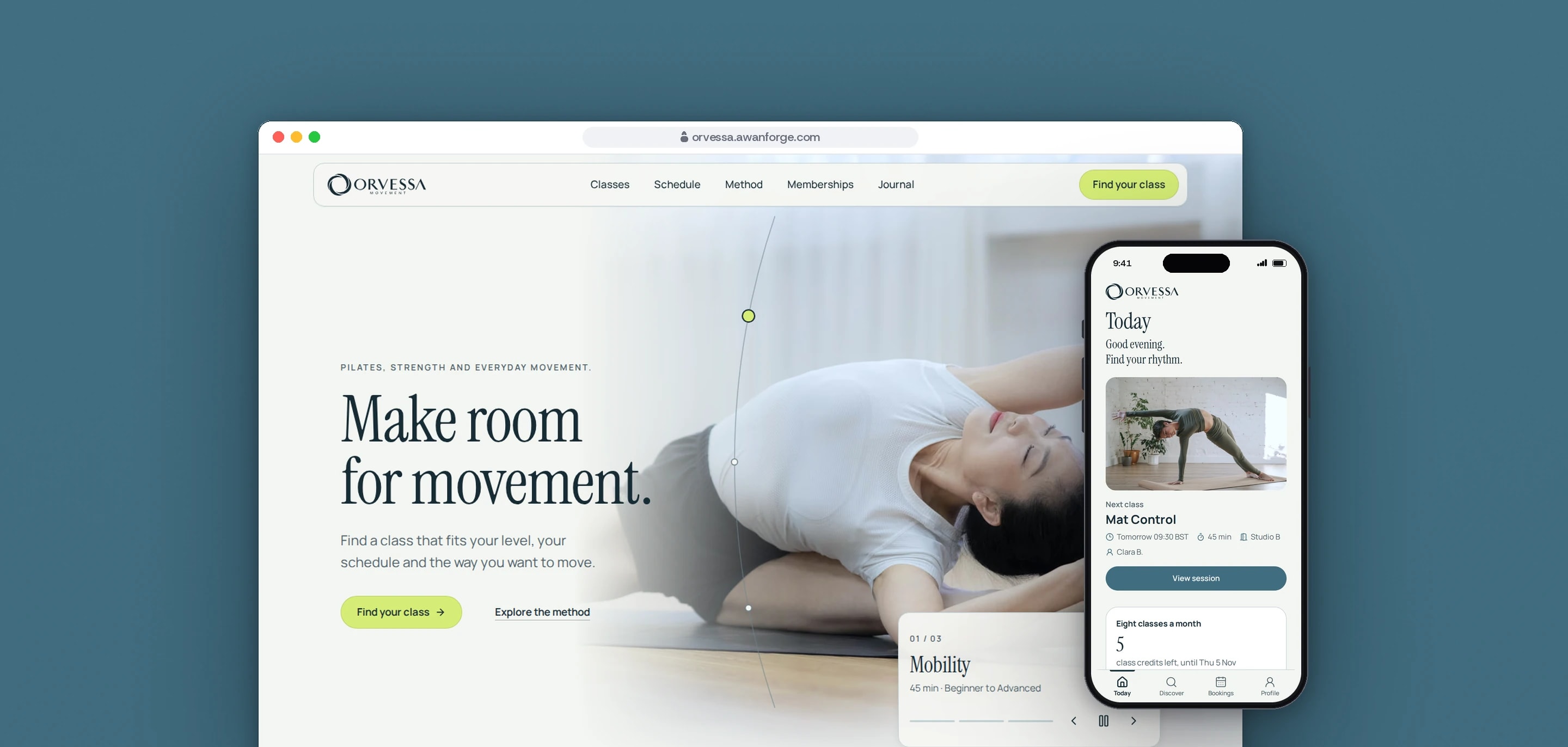
Our team designed and built ORVESSA, a Pilates and movement brand with a public website, a member app for booking classes, the API behind it and an Android app. It is our own showcase: the classes, prices and bookings are demonstration data, and no payment is taken.
- Client
- Own project
- Sector
- Fitness and wellbeing
- Year
- 2026
- Platforms
- Website, Web app, Android
- Services
- Product and UX design, Web development, Mobile apps
A complete digital product for a movement studio: a website that helps a visitor choose a class, and a member app where they book it, manage their bookings and keep track of their membership. We built it to show the whole product working together, from a first visit to a booked class.
Built for
- People new to Pilates who want to know which class suits them before they book.
- Members who book, cancel and check their class credits from a phone.
- Studio owners who need class limits and cancellation rules applied the same way every time.
The problem
Booking is where a studio’s software is tested hardest. Two members can tap the last place at the same moment, a weak signal can send the same booking twice, and a late cancellation has to follow the rule the member agreed to.
Reformer, mat, strength and mobility classes at several levels look alike to someone new, who needs to know where to start before booking.
Movement brands rely on photography, video and motion, and each of them costs loading time on the phones most visitors use. The site had to feel calm and move well while staying fast, and usable with a keyboard and with reduced motion settings.
Goals
- 01Never confirm more bookings than a class has places, even when requests arrive together.
- 02Treat a repeated booking request as the original booking, never as a second one.
- 03Run a waitlist for full classes and a 12-hour free cancellation rule.
- 04Suggest a first class from a few questions, and say why it was suggested.
- 05Base each scroll scene and transition on measured motion references, with a calm version for people who reduce motion.
- 06Say on the product itself that the studio, sessions and prices are a demonstration.
Our role
Starting from a generated brand direction, we designed and built the whole product: the website, the member app, the API that runs the bookings and the Android app.
What we delivered
- A public website of 23 prerendered pages: classes, schedule, method, memberships, a browser demo of the app and six journal articles
- Scroll scenes, a hero slider and looping video clips, each with a reduced motion version
- Onboarding questions on level, class types, goals and schedule, with a suggested class and the reason for it
- Sign-up and sign-in that show every form problem at once
- Booking with class limits, a waitlist, protection against repeated requests and a 12-hour cancellation rule
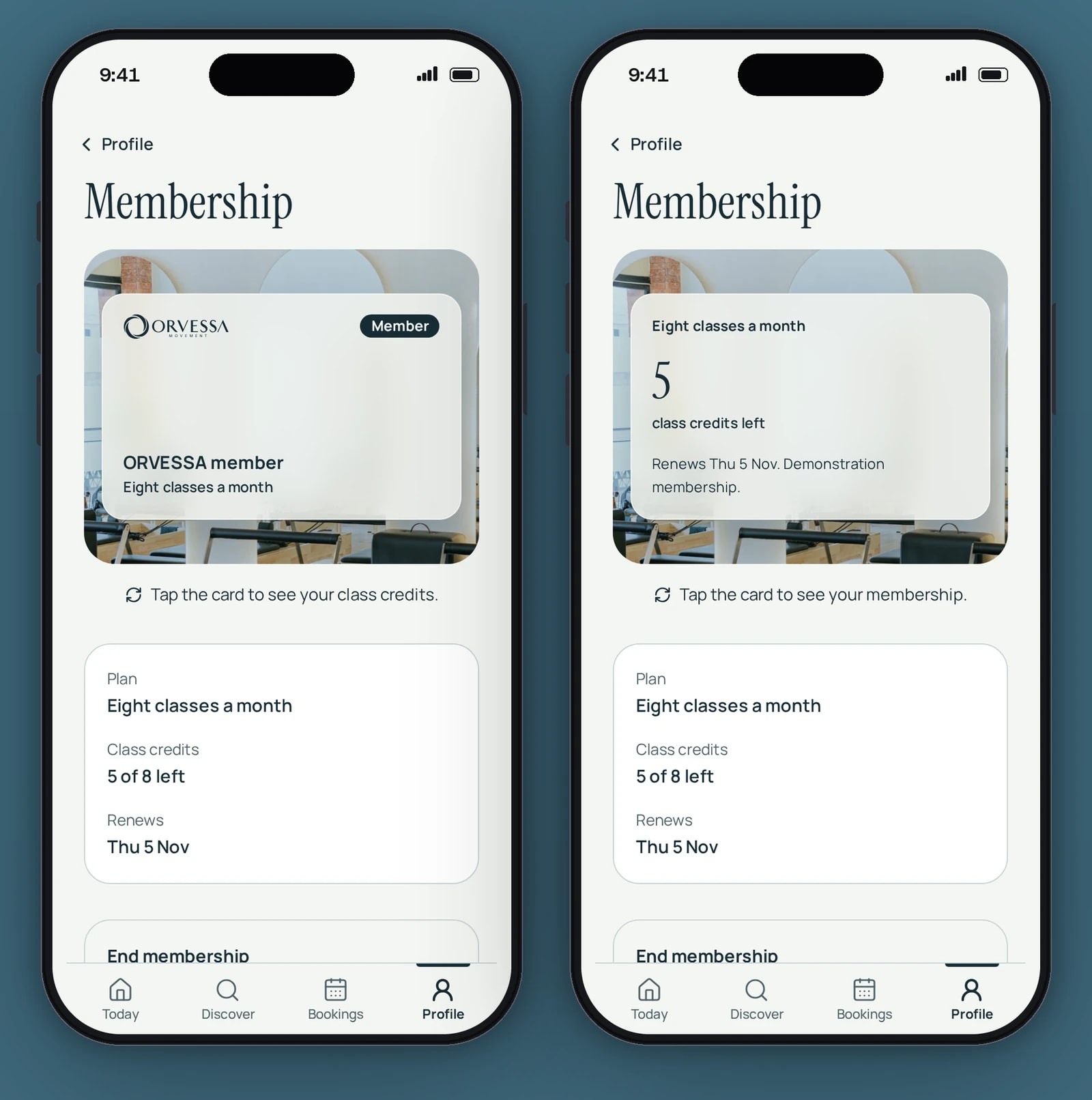
- A demonstration membership with class credits and a card that turns over
- A Node and PostgreSQL API for the timetable, accounts, bookings and memberships
- An Android app built from the same code with Capacitor
- A vector logo traced from the supplied artwork, and a media credits page for every photograph and video clip
How we worked
- 01
Measure the motion first
We studied 12 reference recordings and measured their timing frame by frame, then designed an original ORVESSA version of each effect. Every scene also has a still, finished layout for people who reduce motion.
- 02
Keep the booking rules in one place
Class limits, the waitlist, credits and the cancellation rule run in one database transaction that locks the class, and a database trigger checks capacity again. The website, the member app and the Android app all use the same rules.
- 03
Test against a real database
The API tests run against PostgreSQL, the database the product uses, including a test that sends 25 booking requests at once for a class with 10 places.
- 04
Review independently, then fix
A separate QA review tested the website, the member app and the API at phone, tablet and desktop widths. It ran in three rounds, and each round re-tested the fixes from the one before.
- 05
Load the first screen first
On each public page the first image loads before any other media, and the rest load as they come into view. Photographs and video clips have smaller versions for phones.
Screens and features
Classes that say who they suit
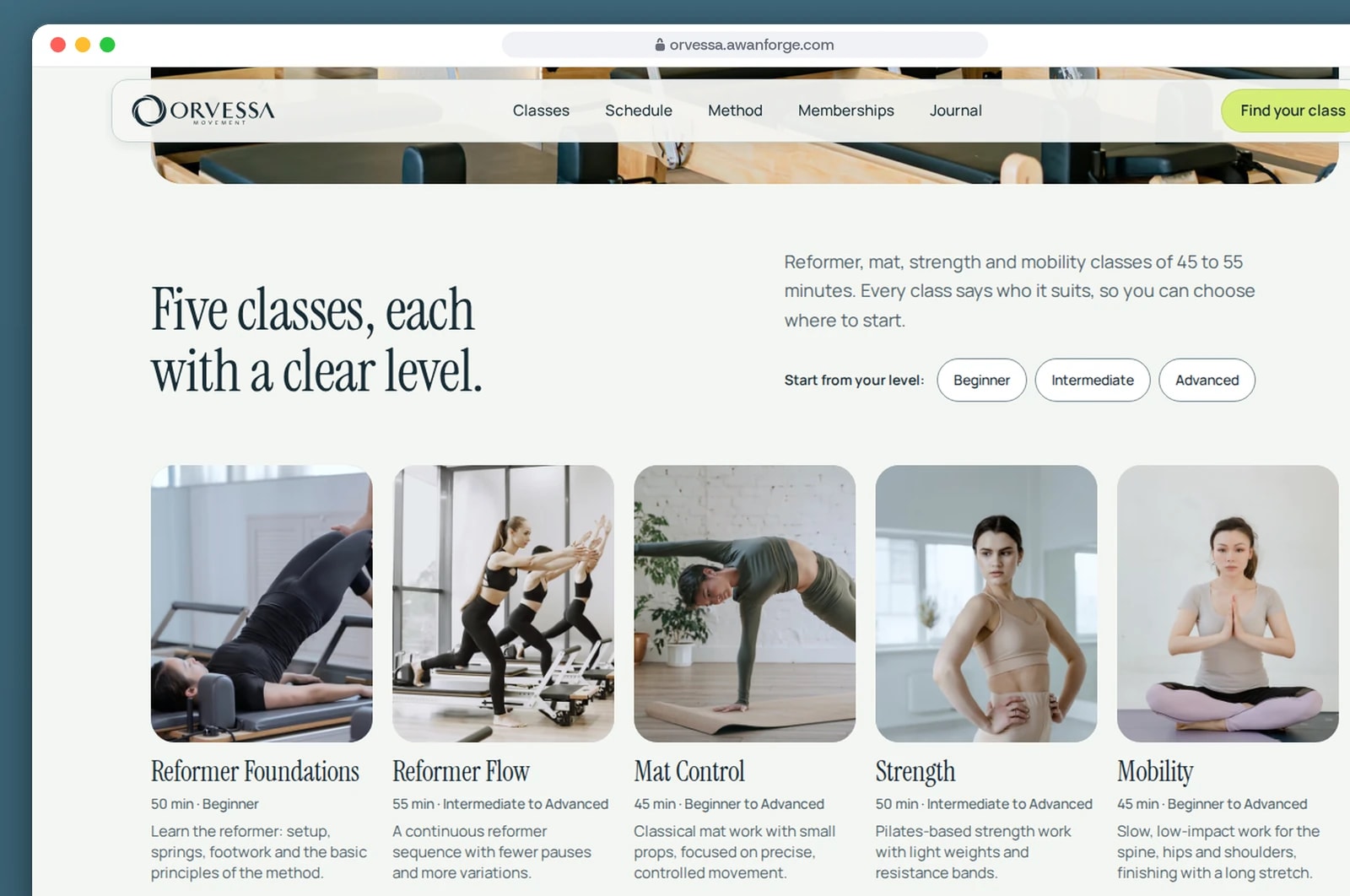
The home page shows every class with its length, level and what happens in it, so a first-time visitor knows where to start.
Every class has its own page
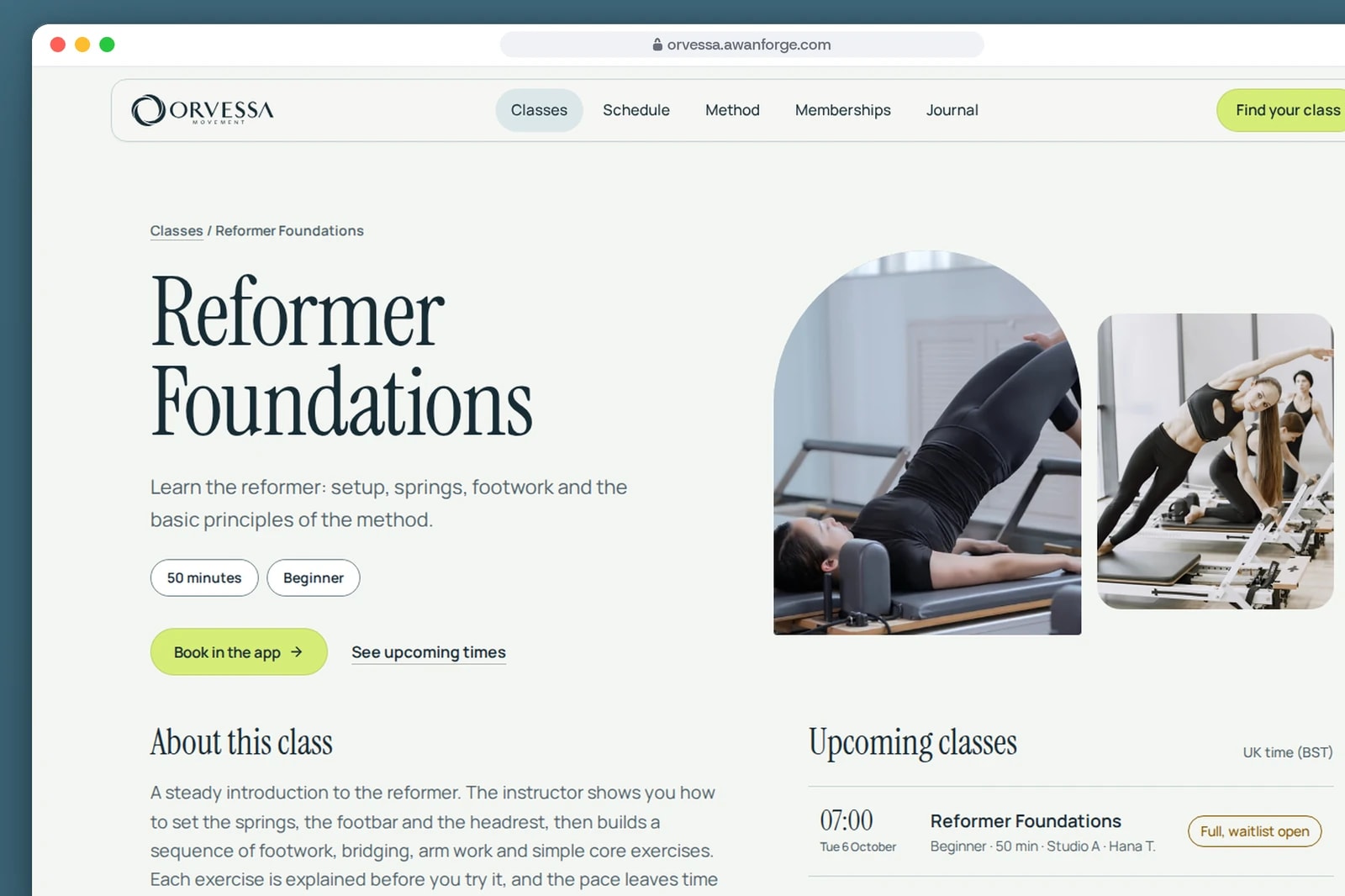
Each class page describes the session, its length and level, and lists the next times with the places left or an open waitlist.
From a class to a confirmed booking
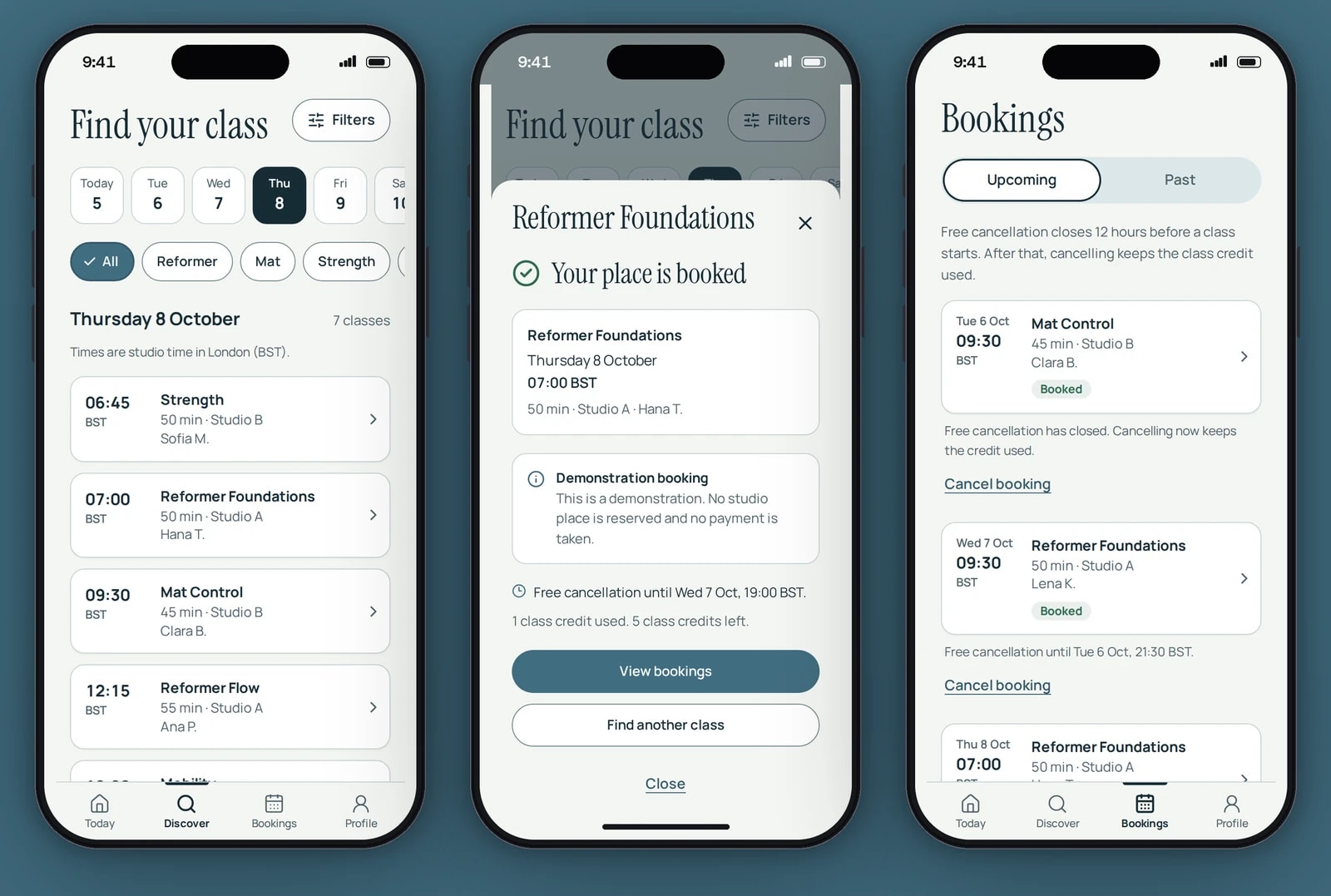
The confirmation states when free cancellation ends. Bookings lists every class with its own cancellation rule.
A card that turns over
One tap turns the membership card to show the class credits left and the renewal date.


A full class stays full
Each booking checks the places left inside a locked transaction, and the database refuses a booking over capacity even if it bypasses the API.
A booking sent twice is booked once
Every booking request carries a unique key. If a weak connection makes the app send it again, the member gets the original booking back and no second class credit is used.
A waitlist that moves by itself
When a member cancels, the first person on the waitlist who has a credit left takes the place in the same step.
A first class suggested, with the reason
Onboarding asks about level, class types, goals and schedule. The same answers always give the same suggestions, each with a plain reason, and full or past classes are never suggested.
Studio time, wherever you are
Class times are shown in UK studio time. On a phone set to another time zone, each class also shows the local time.
A logo that stays sharp at any size
The supplied logo was traced into vector paths. Measured against the original artwork, the trace overlaps it at 0.99.
Display settings members keep
Members can make text larger and reduce motion from their profile, and the setting is kept after a reload.
Technical choices
What the product is built with, and why.
- React 19 and React Router 8 in framework mode
- The public pages are prerendered as static HTML, so they arrive ready to read and search engines can index them. The member app runs in the browser after sign-in.
- Vite 8 and Tailwind CSS 4
- Fast builds and one set of colour, type and spacing tokens, with every text and background pairing checked for contrast.
- GSAP, Motion and Lenis
- GSAP with ScrollTrigger runs the scroll scenes, Motion runs state changes in the app such as sheets and the membership card, and Lenis smooths scrolling. With reduced motion there is no smooth scrolling, no video and no looping animation, and every scene shows its final layout.
- Hono, Drizzle and PostgreSQL 18
- A small, typed Node API. The booking rules run in PostgreSQL transactions, with a database trigger as a second check on capacity.
- better-auth
- Accounts and sessions, with limits on repeated sign-in attempts and sessions that expire and return the member to sign in.
- Capacitor 8
- The member app is packaged as an Android app from the same code, and the same app runs in the browser inside a phone frame on the demo page. The Android download is optional and is a debug build for review on a device or an emulator.
Outcomes
85 automated tests
17 cover shared logic, 27 the web app and 41 the API, run against a real PostgreSQL database. In one of them, 25 booking requests sent at the same moment for a class with 10 places produced exactly 10 confirmed bookings.
Evidence: the project’s test suite, run with no failures.
Lighthouse 99 to 100 on desktop
On the desktop profile the home page scored 99 to 100 for performance, with a largest contentful paint of 0.7 s. On a simulated slow 4G phone with a 4x slower CPU, largest contentful paint was between 2.3 s and 3.2 s, depending on the page.
Evidence: Lighthouse lab runs. These are lab measurements, not data from real visitors.
32 issues found and re-tested
An independent review tested the website, the member app and the API in three rounds, logging each issue with the steps to reproduce it and re-testing the fixes. Automated accessibility checks were clean on the pages audited.
Evidence: the QA review report.
ORVESSA is an Awan Forge showcase, not a commissioned product or a live studio. The sessions, instructor first names, prices and bookings are demonstration data, and no payments are taken. The photography and video are licensed free stock from Pexels, credited on the product’s media credits page. The brand identity artwork is generated art direction, and the Android download is a debug build.
Taking bookings for classes or sessions?
We build websites and booking apps where people book in a few taps and a full class stays full. Tell us how your bookings work.