My FIFO LifeOne app for the roster, the tickets and the rest of it
My FIFO Life is built for Australian fly-in fly-out workers: the shift calendar, the licences and certificates, the job board and the support numbers, in one place. We designed the product and built it as a progressive web app with an Android release.
- Client
- My FIFO Life
- Sector
- Mining and resources
- Year
- 2025 to 2026
- Platforms
- Progressive web app, Android
- Services
- Product and UX design, Web development, Mobile apps
A fly-in fly-out worker runs their life on a rotation. The app holds that rotation, the documents that keep them on site, the jobs that would suit their next swing, and the support services they might need at two in the morning in a camp.
Built for
- FIFO workers on rotation in Western Australia and across the country.
- Their partners and families, who plan around the swing.
- Workers between contracts, looking for the next site.
The problem
A swing is not a work pattern any calendar app understands. Two weeks on and one week off, day shift then night shift, rest and recuperation that moves, and a roster that changes when the site changes it. Workers were keeping it in a spreadsheet, a whiteboard at home, and their heads.
The tickets are the other constant worry. A high risk work licence, a white card, a medical, a driver licence, each with its own expiry, and losing track of one means being turned away at the gate. They were living in a folder of photographs.
Everything else in that life is scattered too: job listings across a dozen company career pages, a resume that needs to pass an applicant tracking system, and mental health services nobody wants to search for when they need them.
Goals
- 01Make the swing something you set up once and then read.
- 02Hold licences and certificates securely, and warn before one expires.
- 03Bring mining and resources jobs into one searchable place.
- 04Keep crisis support one tap away, not buried in a wellbeing section.
- 05Work offline on a camp connection, and install like an app.
Our role
We designed and built the product, shipped it to Google Play, and maintain it.
What we delivered
- Product design for the whole app, mobile first
- Progressive web app built on React, installable and offline capable
- Android build and Google Play release
- Express and Drizzle back end on PostgreSQL
- Encrypted credential storage with expiry notifications
- Job scraping and matching from resources industry employers
- Resume analysis against real job requirements
- Account security: multi-factor authentication, passkeys and session control
How we worked
- 01
Start with the swing
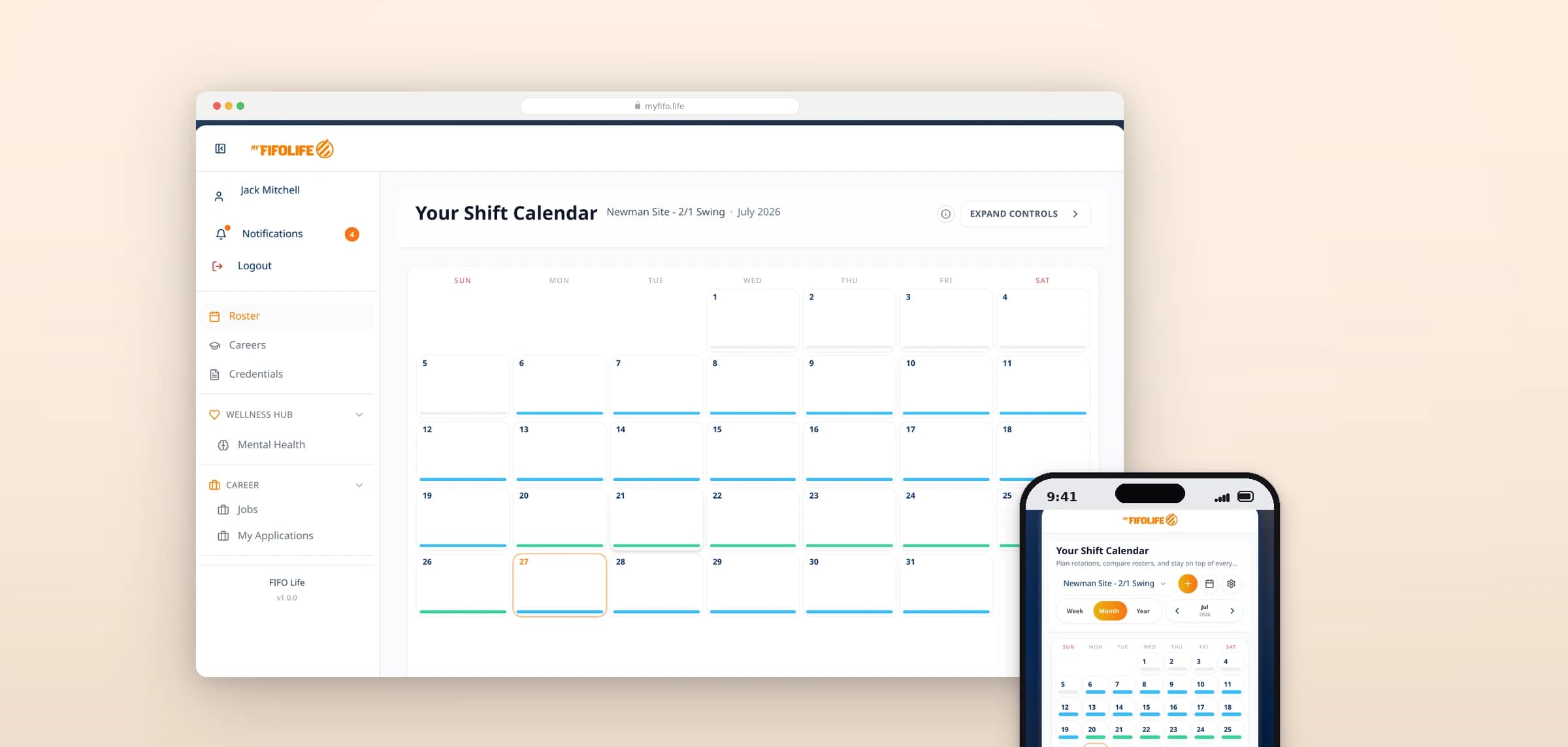
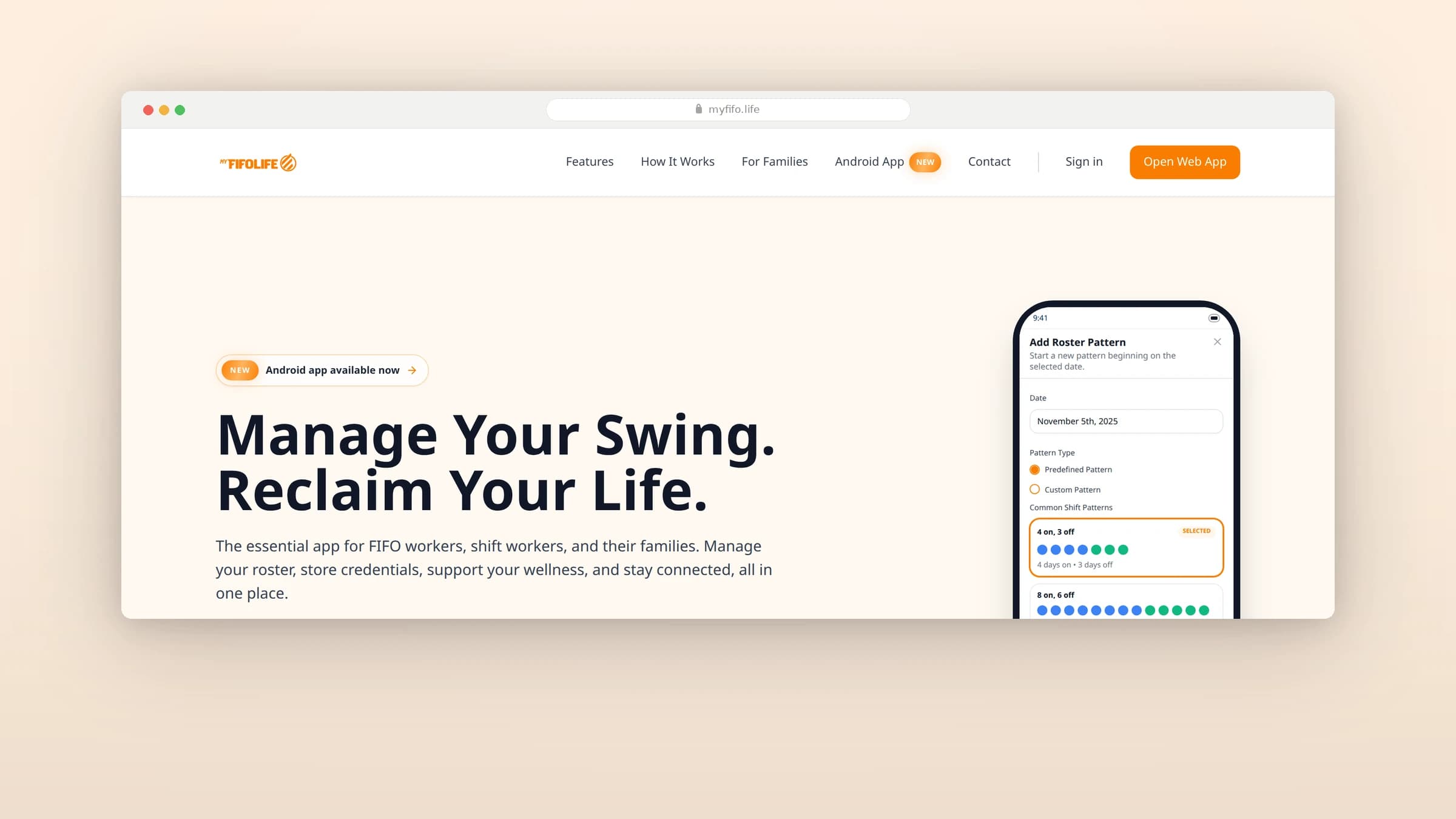
The calendar was designed around rotation patterns rather than individual events. You describe the pattern once and the app generates the shifts, which is how workers already think about their year.
- 02
Design for the worst connection
Camp internet is bad. The app was built as a progressive web app so it installs, caches and keeps working when the connection does not.
- 03
Treat documents as sensitive
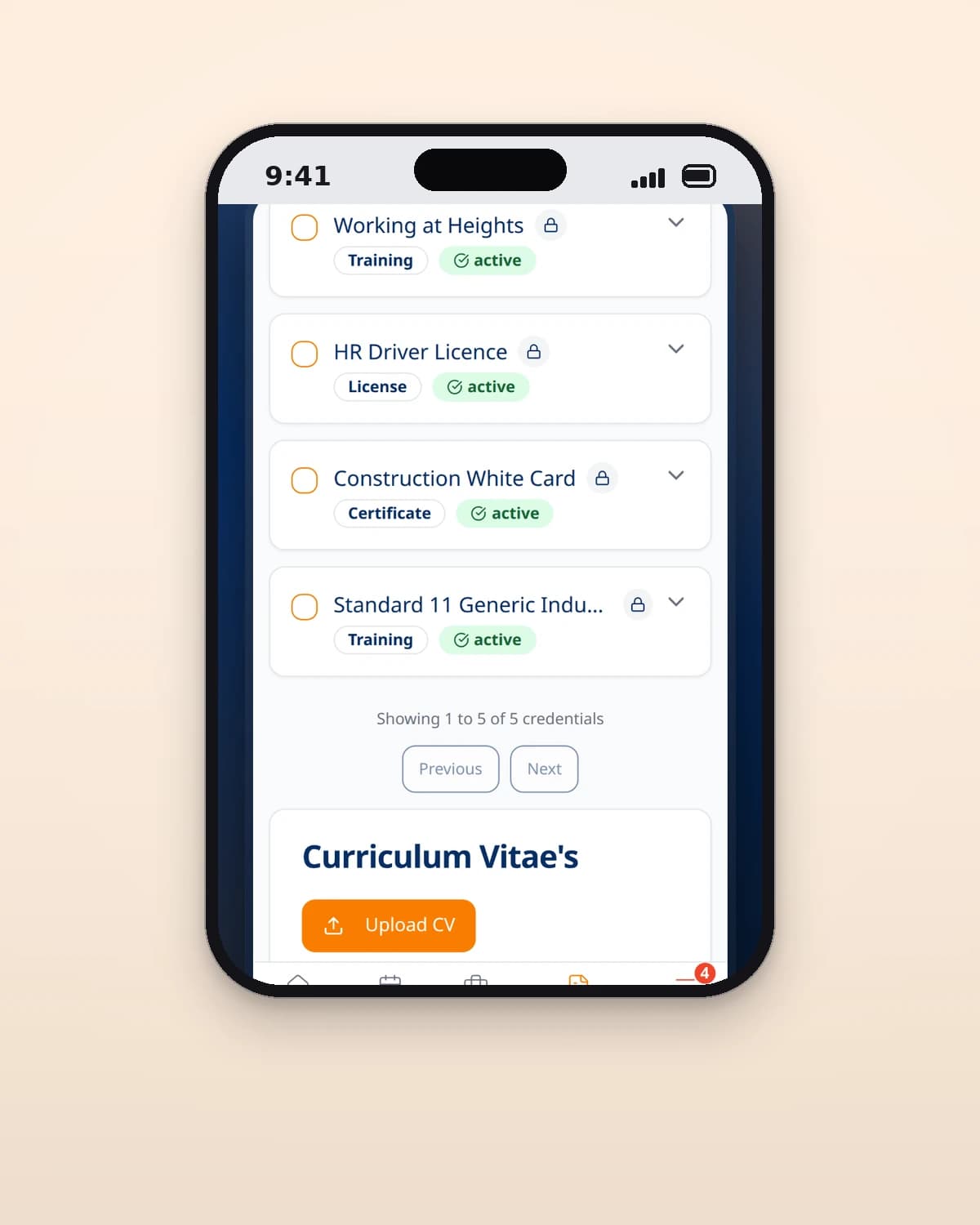
Licences carry names, numbers and photographs. Each one is encrypted with its own key before it is stored, and the app shows the encryption status so a worker can see that it happened.
- 04
Bring the jobs in
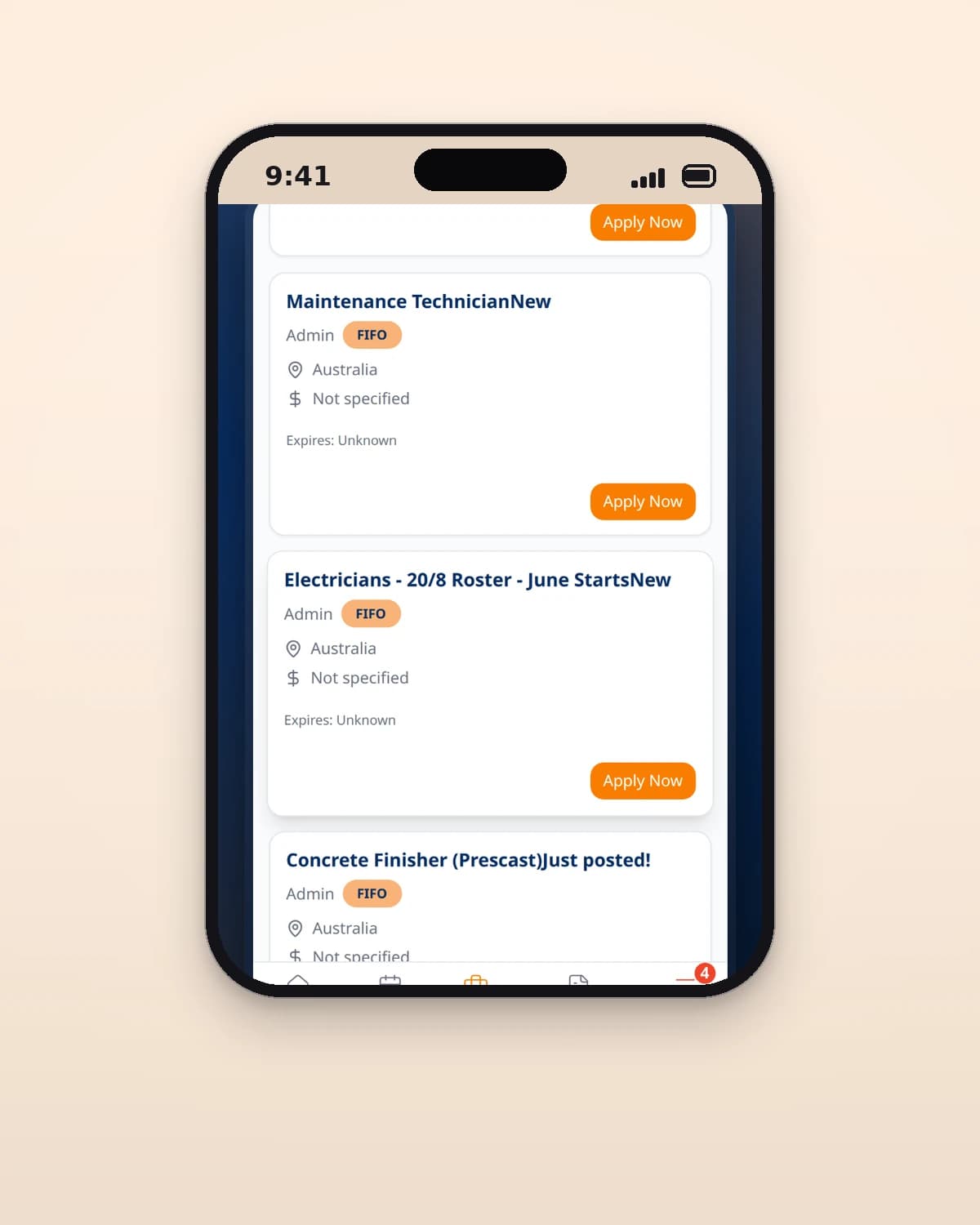
Rather than link out to employer career pages, listings are collected, normalised into one shape and made searchable by state, region and site.
- 05
Ship to the store
The same codebase was wrapped for Android and released on Google Play, so the app is installable the way this audience expects to install things.
Screens and features
Rotation patterns, not events
Set a two and one, or an eight and six, and the calendar fills itself. Day, night, rest and recuperation and rostered days off are distinct types with their own colours.
Share a roster
A partner or a crew member can be given the calendar, so planning around a swing does not depend on screenshots.
A credential vault with a calendar
Documents are stored encrypted, tagged by type, and checked against their expiry dates so a reminder arrives before a ticket lapses rather than after.
Send a whole set of tickets
Credentials can be sent to an employer in one action, which is the moment the folder of photographs usually falls apart.
A resume audit against real listings
A resume is scored against the requirements of actual mining and resources jobs, and missing tickets are flagged.
Support on the home screen
Crisis lines and mental health services sit in the wellbeing section with their numbers ready to dial, not behind a search.
Technical choices
What the product is built with, and why.
- A progressive web app, then Android
- One codebase installs from the browser and ships to Google Play. Workers who will not install an app still get an icon on the home screen, and the store listing exists for the ones who look there first.
- Envelope encryption for credentials
- Each document is encrypted with its own data key under a managed master key, using AES-256-GCM. A database copy on its own reveals nothing, and a key can be rotated without rewriting the documents.
- Drizzle on PostgreSQL
- Shifts, rosters, credentials and job listings are relational and queried by date range constantly. The schema is typed in the same language as the application, so a column change surfaces as a type error.
- Server-side job collection
- Listings are gathered, deduplicated and normalised on a schedule rather than fetched when someone opens the screen, so search is fast and employer sites are not hit by every user.
- Passkeys and multi-factor authentication
- The app holds identity documents. Sign-in supports authenticator apps and passkeys, and a worker can see and end their own sessions.
Building for people who are not at a desk?
Offline behaviour, installability and real device testing are part of how we work. Tell us who you are building for.