File EngineSelf-hosted file storage for our own applications
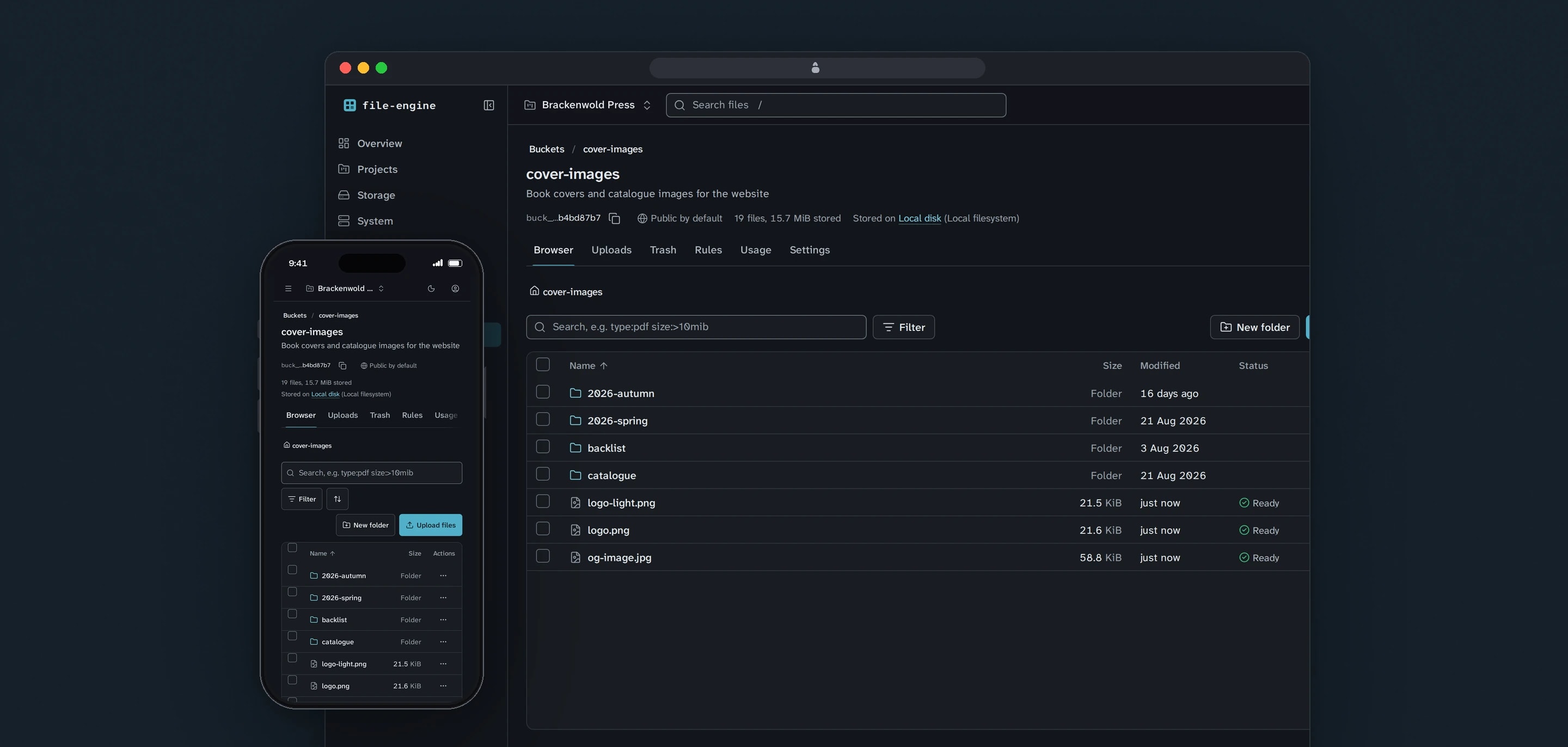
File Engine is our own file platform: an S3-compatible store on a server we control, with a console that shows what every application is storing. We designed it and built it in Rust, and MCHD Manager, a client platform we run, keeps its files in it.
- Client
- Awan Forge
- Sector
- Developer infrastructure
- Year
- 2026
- Platforms
- Web console, REST API, S3-compatible API
- Services
- Product and UX design, Web development
Every application we build stores files: avatars, attachments, documents, exports. File Engine is where they go. Each application gets a project with its own buckets and keys, uploads through a native API or any S3 client, and shows up in one console with its storage, uploads, deliveries and usage.
Built for
- Our own applications, which store and serve their files through it.
- The developers wiring an application to it, who need an endpoint, a key and an SDK.
- The one administrator who runs the installation and answers for the data in it.
The problem
Raw object storage exposes the wrong things to an application. A bucket is a flat list of keys, so a file has no identity beyond its path and renaming a folder means copying everything in it. When something misbehaves, nothing on screen says which upload stalled or which webhook never arrived.
Our applications run on servers we manage, and their files belong there too: on disks we control, encrypted with keys we hold.
Replacing it is not a weekend job. An upload of several gigabytes has to survive a dropped connection, a half-finished upload must never appear as a file, and two applications on the same server must not be able to learn anything about each other's content.
Goals
- 01Run on one ordinary server with PostgreSQL as the only other service.
- 02Speak S3, so existing tools and SDKs work unchanged.
- 03Make every project a security boundary that keys, search, deduplication and webhooks cannot cross.
- 04Show uploads, deliveries, storage and usage in a console, per project and per bucket.
- 05Encrypt stored files by default, with keys that can be rotated without rewriting them.
Our role
We designed and built File Engine, run it in production at files.awanforge.com, and connect our applications to it.
What we delivered
- Requirements ledger that names the test behind each requirement
- Rust server: native REST API, S3-compatible endpoint, delivery routes and job workers in one binary
- Content-defined chunking, deduplication and AES-256-GCM encryption at rest
- Resumable, parallel uploads through the native API and S3 multipart
- File processing in a sandboxed child process: previews, metadata and optional malware scanning
- React console for projects, buckets, files, versions, keys, webhooks, usage and system health
- TypeScript SDK served by each installation
- Production deployment, backups and the migration of MCHD Manager's files from AWS S3
How we worked
- 01
Write the requirements down first
A full specification and a build brief became a ledger of 260 requirements. Each one records where it lives in the code, the test or procedure that proves it, and whether it is planned, built or verified.
- 02
Decide the hard parts in writing
Encryption, deduplication, the upload protocol, the job queue and the S3 adapter each have an architecture decision record that says what was chosen and what was rejected.
- 03
Keep the core free of input and output
Domain rules and byte transforms live in crates that touch no network, disk or database, so the rules that decide who may read a file can be tested on their own.
- 04
Move a real application onto it
MCHD Manager moved all of its file storage from AWS S3 to File Engine on 19 September 2026, and the patterns that move needed are written up as a guide for the next application.
Screens and features
A console that shows what is happening
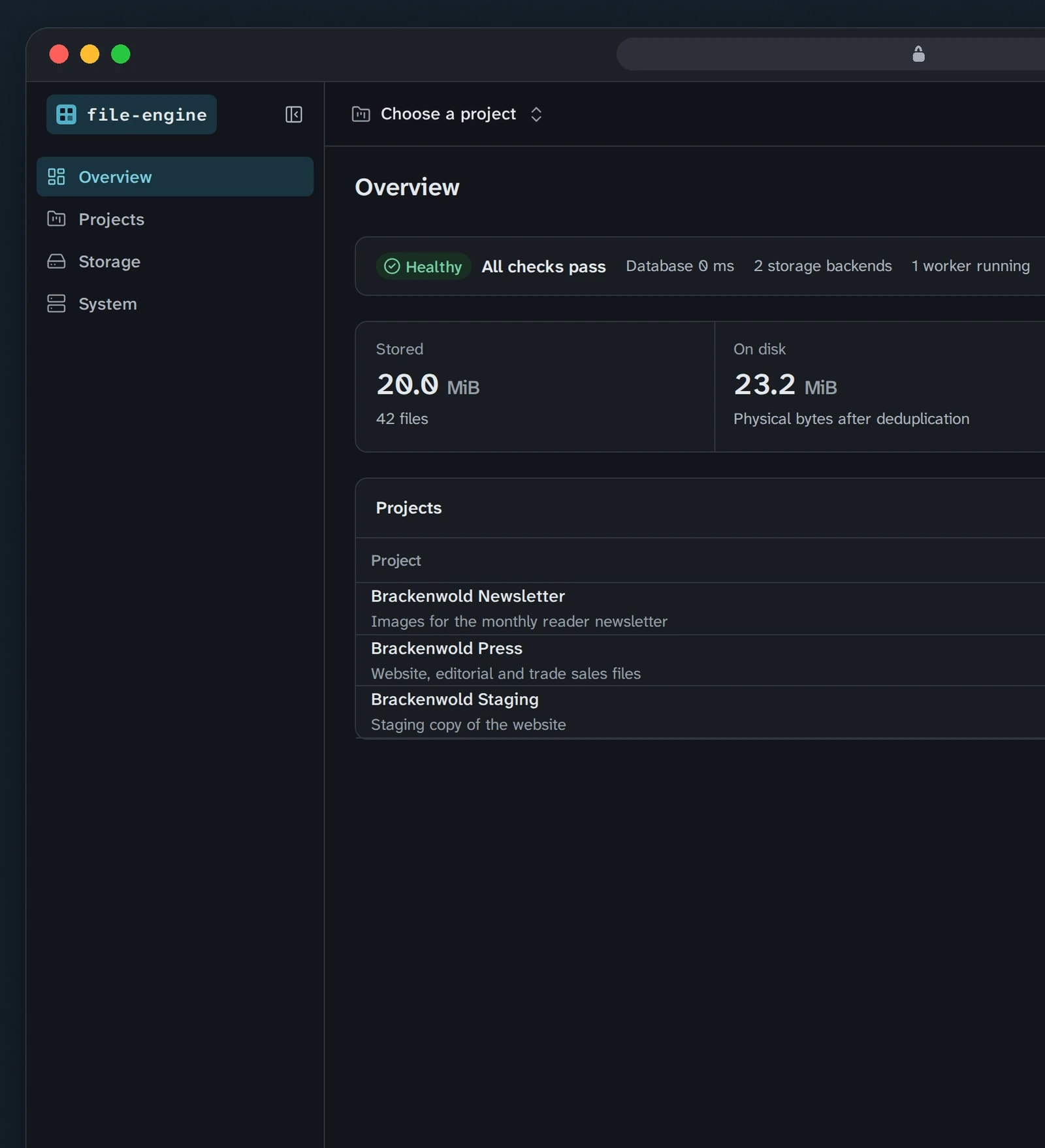
Projects, buckets, usage and recent activity for each customer. Every bucket is private until you open it.
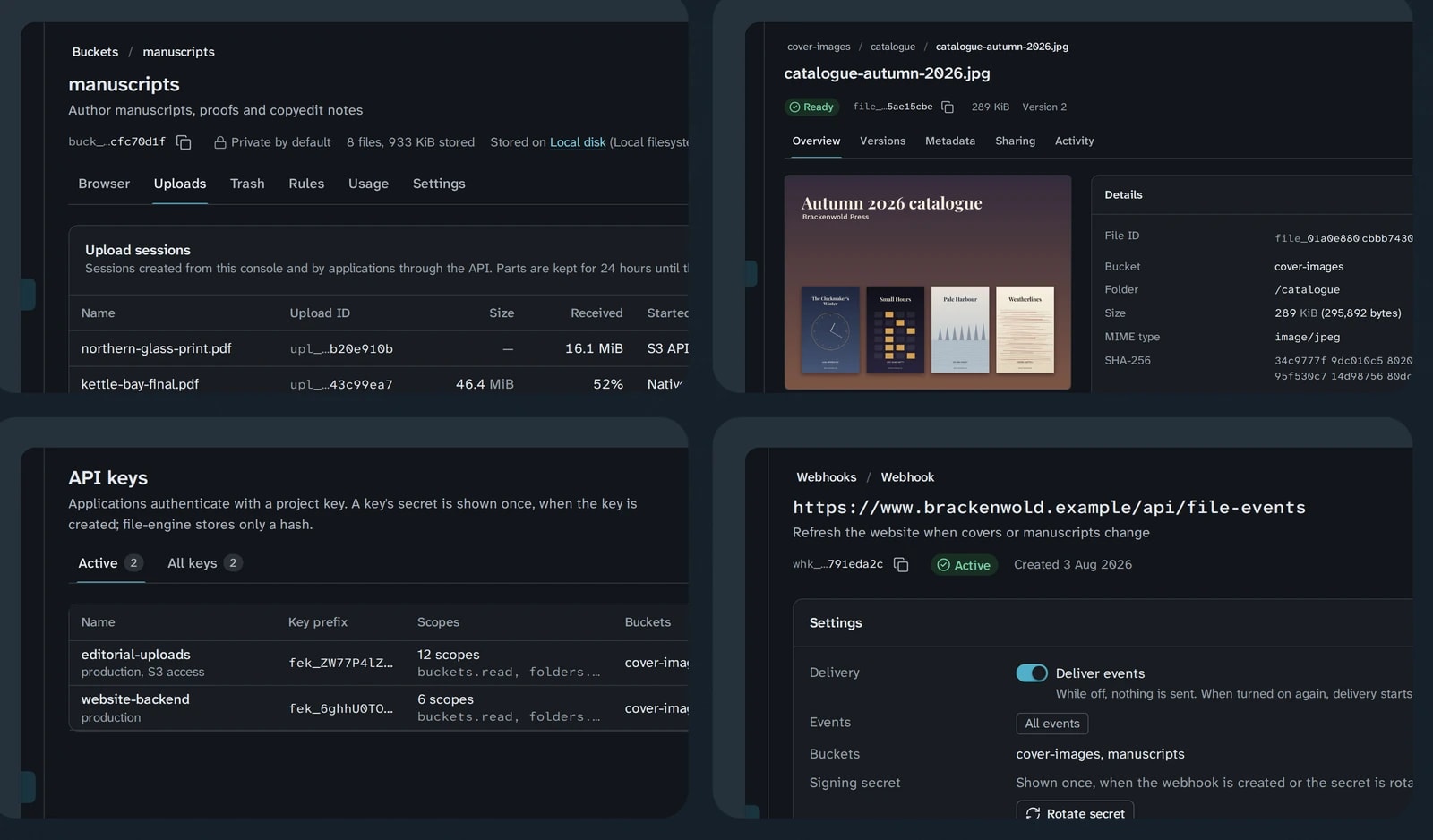
Uploads, files, keys and webhooks
Uploads resume after a dropped connection, files keep their versions, and every event can call your own server.
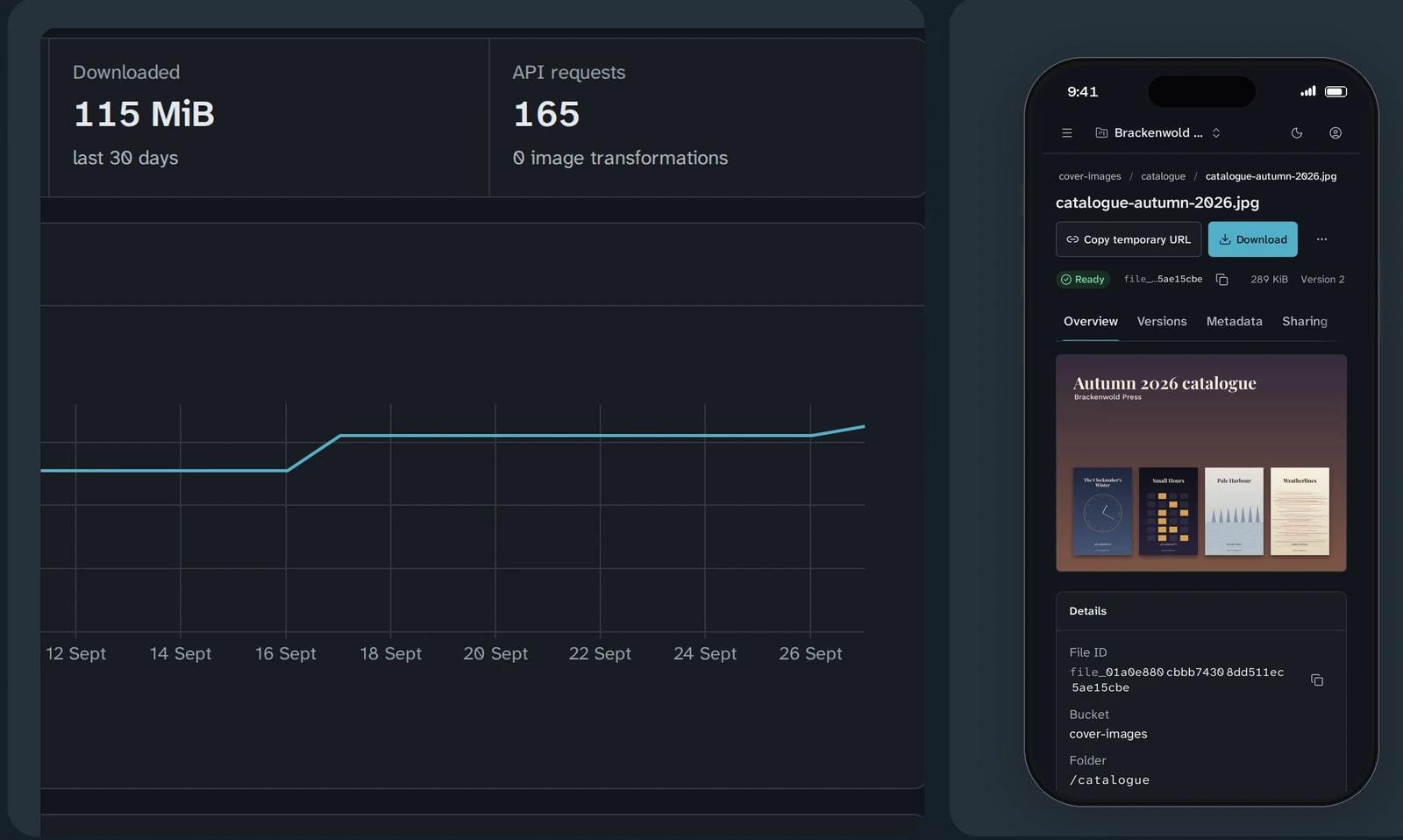
Usage metered, storage pluggable
Storage, transfer and API requests are counted for each project and each bucket, and files can live on more than one storage backend.


Projects that do not leak
A project is one application's boundary. Its keys cannot see other projects, identical content is never shared across projects, and search and webhooks stay inside it.
A native API and an S3 endpoint
Applications can use the REST API and the TypeScript SDK, or point any S3 client at a separate listener. An S3 compatibility suite drives it with the official AWS SDK for JavaScript and the AWS CLI.
Uploads that resume
Large files upload in parallel parts that are kept for 24 hours by default. Nothing appears as a file until the upload is committed, and an abandoned session is cleaned up.
Versions, trash and restore
New content for an existing file becomes a new version, and restoring an old one creates a new current version, so history is never rewritten. Deleted files go to a trash with its own retention rule.
Search with filters
Search understands filters such as type, extension, folder and size range alongside plain words, and works across a bucket or a whole project.
Signed webhooks with retries
Deliveries are signed in the Standard Webhooks format, retried with backoff on timeouts and server errors, and can be replayed from the console without editing the history.
Usage per project and per bucket
Stored bytes, bytes on disk, uploads, downloads and API requests are metered and charted over time, with storage broken down by bucket.
Technical choices
What the product is built with, and why.
- Rust, one binary
- The server spends its time moving bytes: hashing, chunking and encrypting uploads of several gigabytes while holding memory flat on a small server. One binary provides every role as a subcommand, from serve and worker to migrate and doctor.
- PostgreSQL as the only other service
- Files, versions, keys, events, usage and the job queue all live in PostgreSQL, so the platform installs on one server without Redis or a message broker. A job is written in the same transaction as the change that needs it, so a crash cannot lose it.
- Encrypted, content-defined chunks
- Files are cut into chunks by FastCDC and each chunk is sealed with AES-256-GCM under its own key. Keys are wrapped in a hierarchy, so a master or project key can be rotated by rewrapping keys, without re-encrypting any stored file.
- Deduplication inside a project only
- Chunks are identified by a keyed hash that means nothing outside their project, and deduplication happens on the server after the bytes arrive. No endpoint answers whether content already exists, so a client cannot probe for files it does not have.
- File parsing in a sandboxed child process
- Uploaded files are hostile input. Image, PDF and archive parsing runs in a child process with no credentials and hard limits on memory, CPU and time, so a crafted file can fail a preview but cannot take the API down.
- An SDK served by each installation
- The SDK was never published to a public registry, so an install command pointing at one would have failed, and anyone who claimed the package name could have served their own code. Each installation now serves the SDK that matches it.
Need to own your files?
Storage, uploads and encryption you can inspect are work we have already done for ourselves. Tell us what your application stores.