Elara Venn StudioA painter’s studio site for original work and workshop places
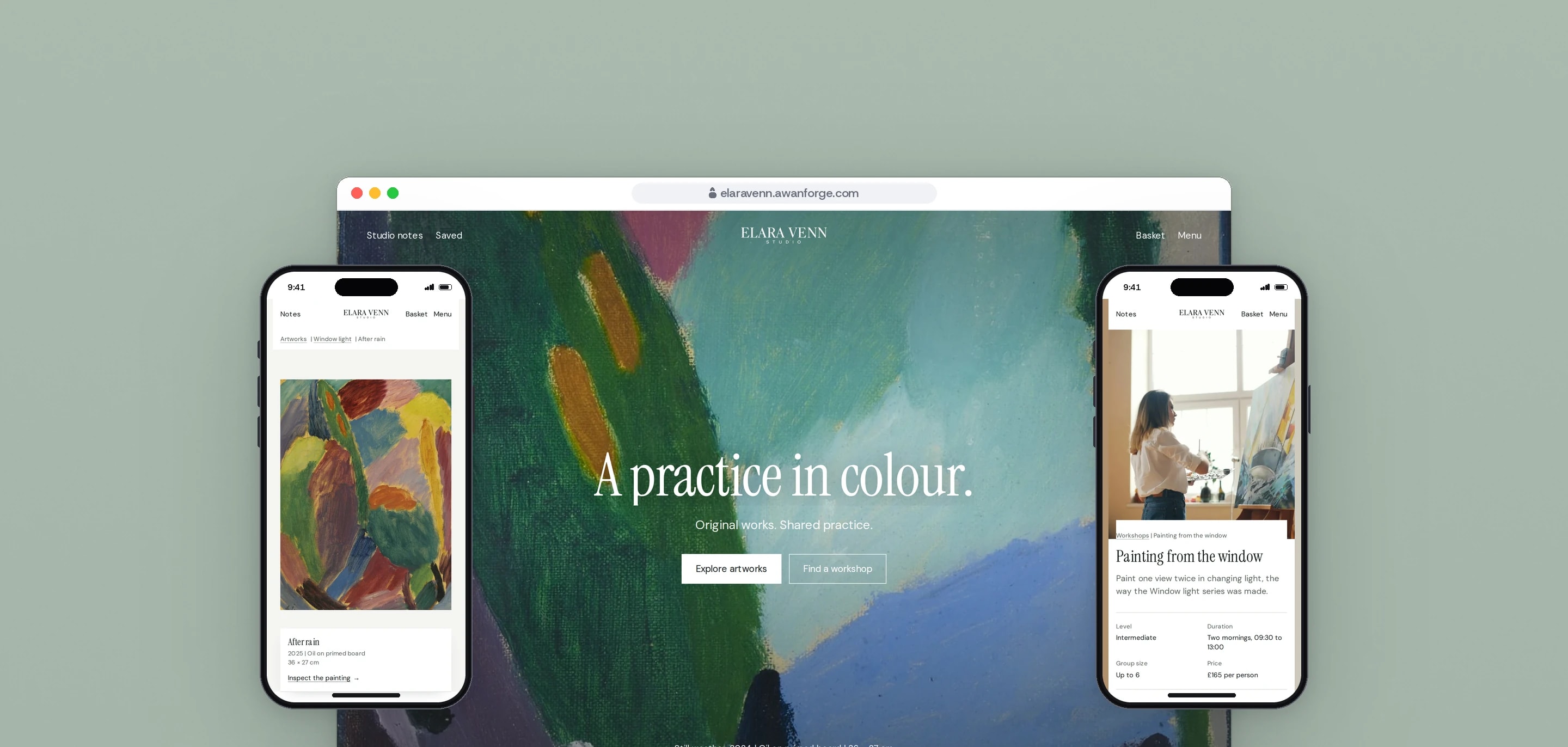
Our team designed and built Elara Venn Studio, a painter’s site for original paintings and workshop places. Collections, a filterable catalogue and workshop booking share one calm design led by the paintings.
- Client
- Own project
- Sector
- Art and craft retail
- Year
- 2026
- Platforms
- Web store, Mobile web
- Services
- Product and UX design, Web development
The site of one painter who sells only originals and teaches small workshops. It presents the paintings as a body of work, in collections and journal entries, and is designed so that a painting and a workshop place go into the same basket and through one checkout.
Built for
- Collectors looking at original paintings, each one of a kind.
- Painters choosing a workshop date.
- Visitors who want to know how the work is made before they buy.
The problem
An artist’s site often reads as a shop with a gallery attached, or as a gallery with a payment link. A painter who sells originals needs both: the work presented as a practice, and a way to buy it that is as clear as any store.
Every painting here is one of a kind, and a work can be available, reserved or sold. The catalogue, the artwork page and the basket each have to say which, and offer the right next step for each state.
A visitor reads the site slowly. Motion has to feel like turning a page, never like a demo reel, and it has to work on a phone, where most visits start.
Goals
- 01Present the paintings first, with the purchase steps calm and clear beside them.
- 02Give every work a clear state, and a next step for reserved and sold works.
- 03Let one basket hold a painting and a workshop place, and ask for an address only when something would be posted.
- 04Make the opening motion play once per visit and never hide content from anyone it does not play for.
- 05Name the real creator and licence of every image used as sample content.
Our role
We created the studio and its sample catalogue, then designed and built the site, from the identity in use to the checkout.
What we delivered
- Identity in use: the Elara Venn wordmark, Instrument Serif with DM Sans, and a forest and sage palette
- Home, artworks, collections, workshops, studio, journal and contact pages
- Catalogue search and filters for medium, collection, availability and price
- Artwork pages with a full-screen inspector and a credit line for the image
- Saved works, a studio notes drawer and a basket drawer
- Workshop booking by date, with places capped by what is left
- Checkout with every error listed at once, and a payment step that asks for no card details
- Privacy page listing what the site stores, with a button that clears it
How we worked
- 01
Set it like a book
A display serif for titles, a plain sans for details and wide margins, on white and a pale paper tone. Forest green is kept for the main buttons, so the paintings carry the colour.
- 02
Motion that turns a page
Curtains, masked lines and photographs that wipe into place. Each effect either runs once or follows the scroll, and each has a still version for visitors who reduce motion.
- 03
Start the entrance before the scripts load
A small script in the page head marks a first visit before anything else runs. Only then is the hero hidden, ready for its entrance, so a repeat visit, a visitor who reduces motion or a browser without JavaScript always sees the page at once.
- 04
One rule for every panel
The menu, studio notes, basket, filters and image inspector share one overlay store. Only one is open at a time, the page behind becomes inert, scrolling is held at the exact position, Escape closes it and focus returns to the button that opened it.
Screens and features
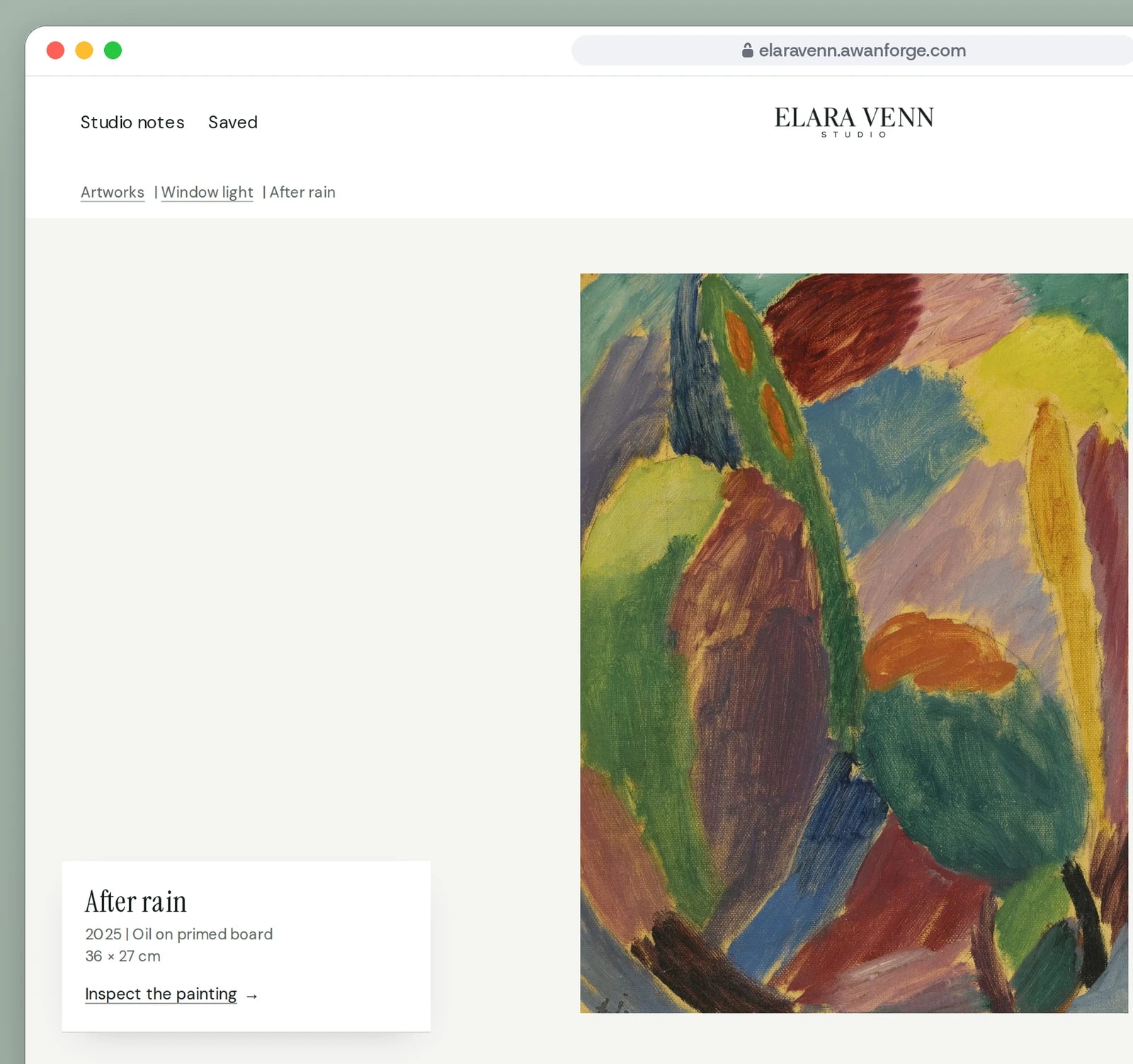
Every painting has a page of its own
The work hangs on a plain wall with its size and medium. One click opens it full screen to look at the brushwork.
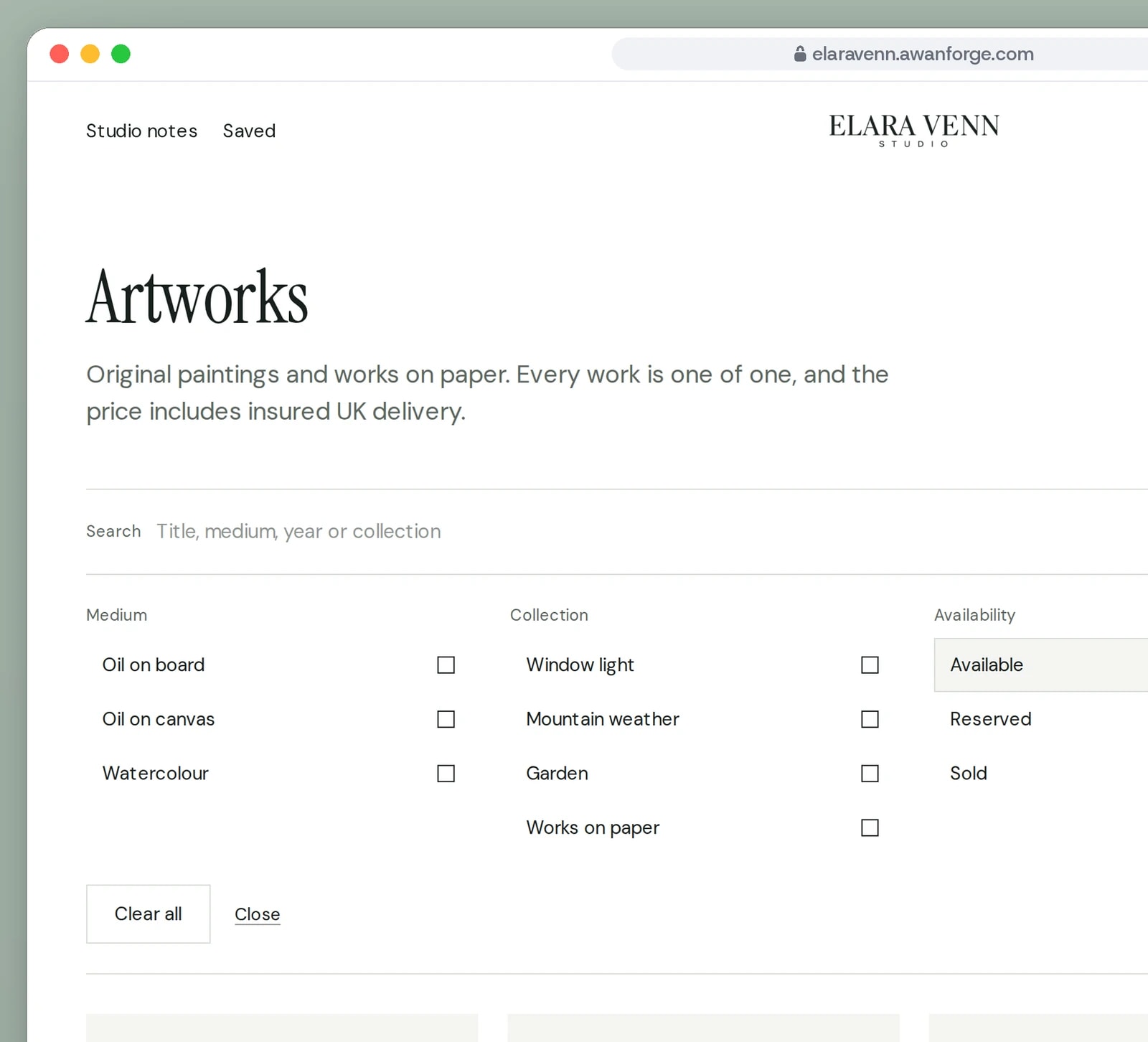
Twenty works, filtered four ways
Medium, collection, availability and price narrow the catalogue in place. Sold and reserved works stay in view.
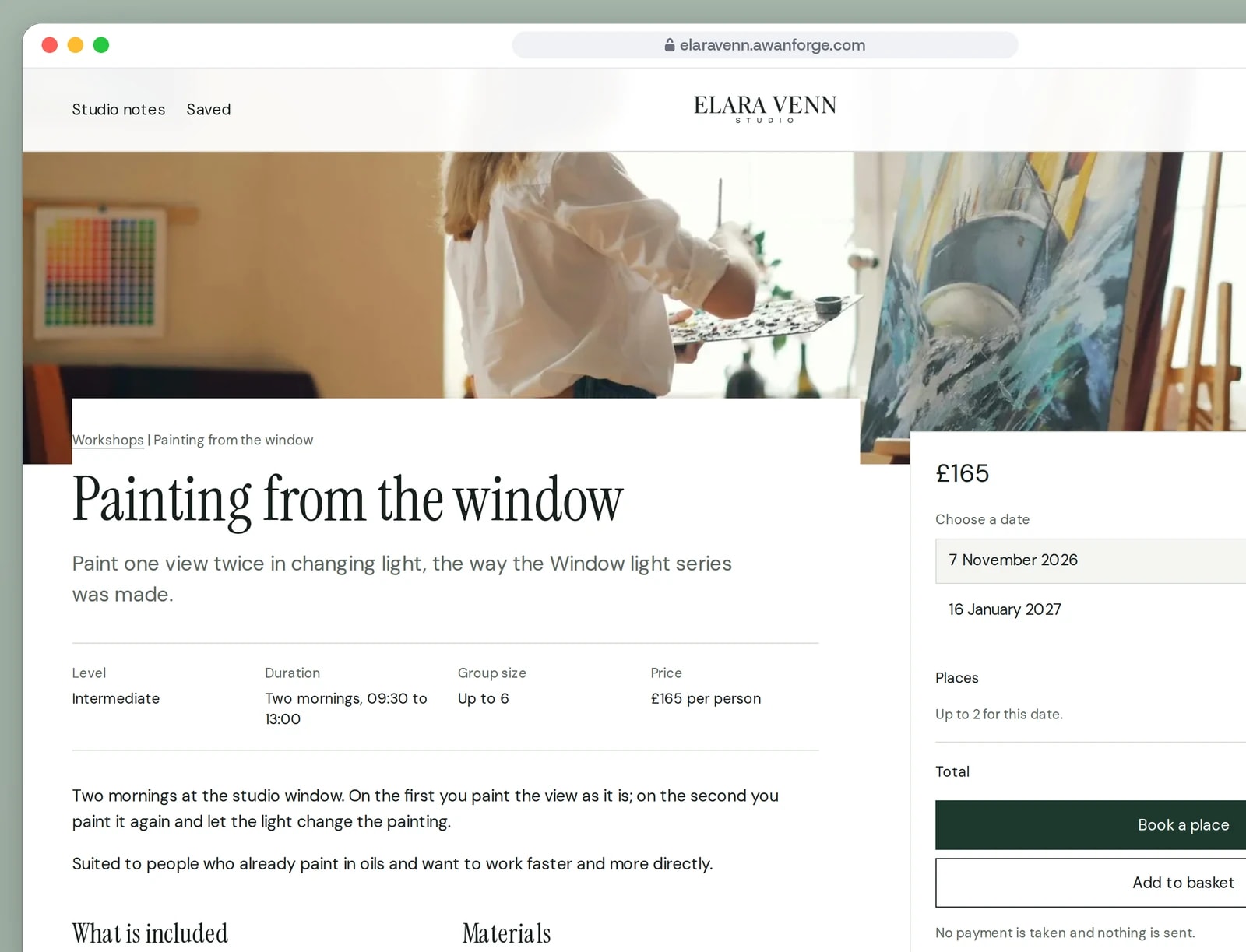
Workshop places booked by date
Each workshop lists its dates with the places left, for small groups in the room where the paintings are made.
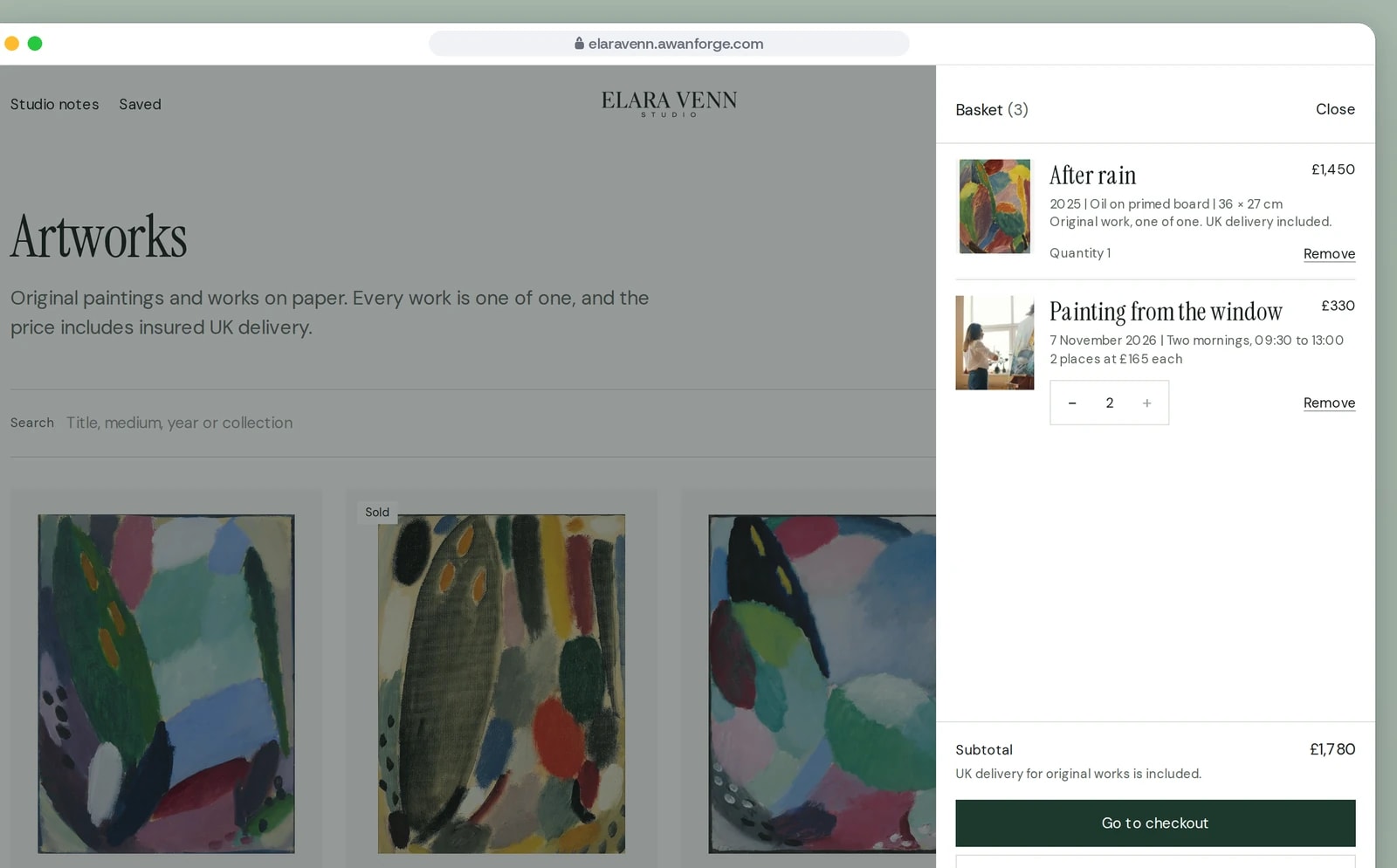
Paintings and workshop places in one basket
An original can be added once. Workshop places stop at the number left on that date.


A hero entrance once per visit
On the first visit of a session, a GSAP timeline lifts an ink curtain off the hero painting, raises the title lines through masks and fades in the buttons.
A menu curtain with search
The menu descends as a full-width curtain, draws its search rule and raises each line in turn, and it can reverse halfway if closed. Typing two letters lists up to four matching paintings; Enter opens the full catalogue search.
The studio story, pinned
On screens 768px and wider, the studio section pins while its three chapters scroll past and each photograph wipes up into place, scrubbed by GSAP ScrollTrigger. On phones and with reduced motion the chapters simply stack.
Filters that reflow the catalogue
Search and filters update the address as they change, so a filtered view can be shared. Results rearrange with Motion layout animation, the filter area unfolds above the grid on desktop, and on phones it is a bottom sheet with a Show works button.
Every state of a one-off painting
An available work can be added to the basket once. A reserved work offers the waiting list, and a sold work offers a message about similar work.
A checkout that takes no payment
The payment step says that no payment is taken and nothing is sent, and asks the visitor to tick a box confirming it before the order is placed. Placing it shows a summary on screen. The booking panel and the contact form say the same about what they send.
A close look at the brushwork
The inspector opens a painting full screen, fitted to the screen, and Zoom in shows the file at its full size to scroll around.
Technical choices
What the product is built with, and why.
- Next.js 16 with prerendered pages
- Every artwork, collection, workshop and journal entry is generated at build time with its own title and sharing image, while the basket, saved works and checkout run in the browser.
- GSAP with ScrollTrigger
- The hero entrance, the menu curtain and the pinned studio story are GSAP timelines, created through its React hook so they are cleaned up when a page changes.
- Motion for layout and drawers
- The catalogue reflow, the basket, notes and filter drawers and the notes tab underline use Motion, under one setting that follows the visitor’s reduced motion preference.
- Lenis driven by the GSAP ticker
- Wheel smoothing runs only for a mouse or trackpad, and GSAP’s ticker steps it, so smooth scrolling and the pinned scene share one animation loop. Touch scrolling stays native.
- A scroll lock written for iOS
- Open panels fix the page body at its offset, because iOS Safari ignores overflow hidden, and pause the smooth scroll. Closing restores the exact position without a jump.
Elara Venn Studio is our own project. The artist, catalogue, workshops and prices are sample content, and the artwork images are public domain and openly licensed works credited on the site’s Credits page. The basket, checkout, workshop booking and the forms show the complete flow without a payment provider or backend connected, so nothing is charged, booked or sent.
Want a site that sells your originals?
We design artist sites that present the work first and keep buying simple. Tell us about your practice.