Awan ForgeOur studio’s website and its case studies
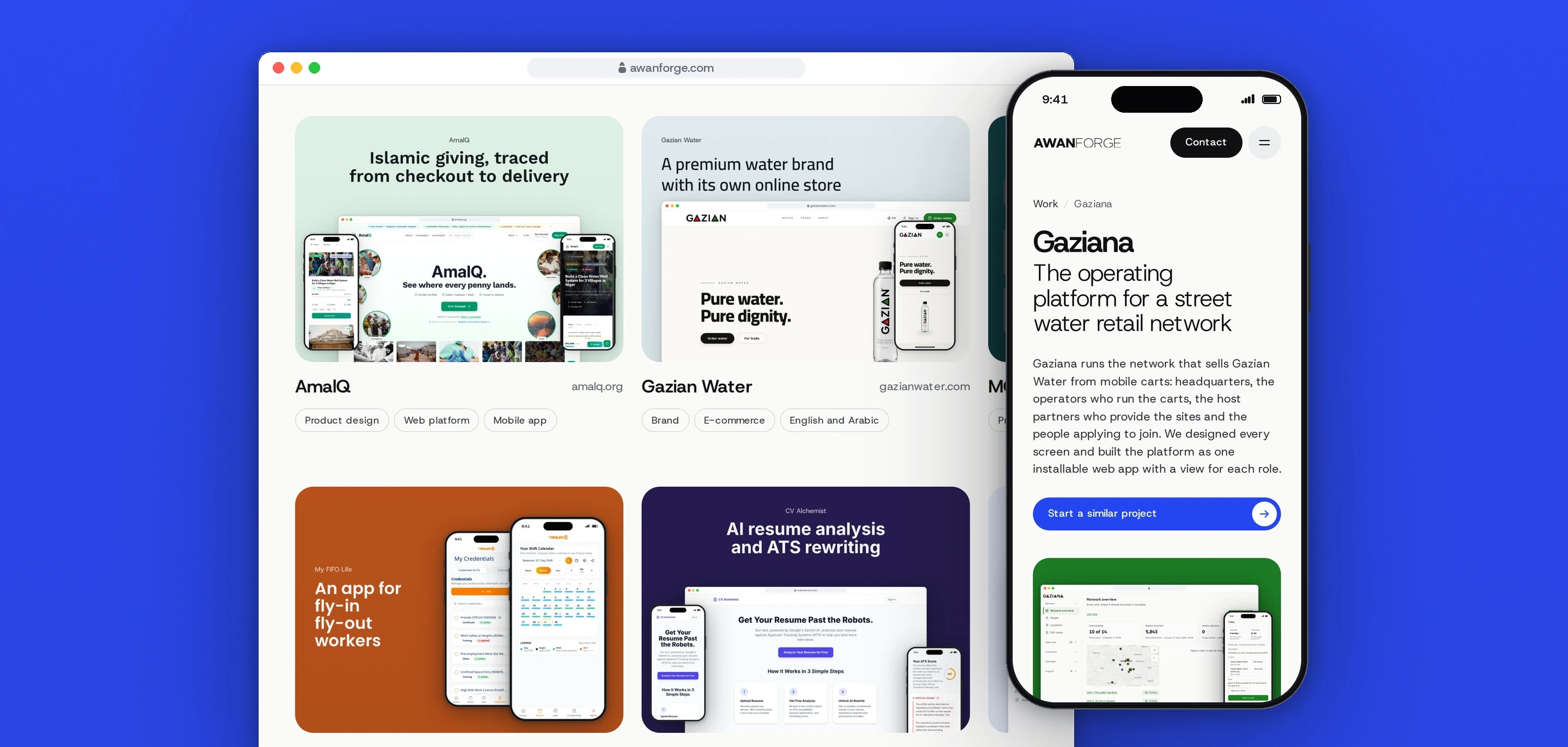
awanforge.com is our studio’s website, live since September 2026 when Stability became Awan Forge. We designed and built it in Next.js, with a work page that groups our projects and case studies that read like build logs, each with a gallery of the product’s screens.
- Client
- Awan Forge
- Sector
- Design and development services
- Year
- 2026
- Platforms
- Website, Mobile web
- Services
- Product and UX design, Web development
The studio’s public home. It shows the products we have designed and built, what we offer and how a project runs, the people behind the studio, reviews and common questions, and each page about the work ends with a way to start a conversation.
Built for
- Businesses and founders looking for a team to design and build a website, web app or mobile app.
- Clients who found the studio on Freelancer and want to see its work before they hire.
The problem
Stability became Awan Forge in 2026, and the new name needed its own site at awanforge.com. The old site’s privacy, terms and refund pages had to keep their addresses on the new domain.
A studio is judged on its work. A visitor needs to open a project and see the product itself, with the problem, our part in it and the technical choices written down, before deciding to get in touch.
The site has to be read by search engines and AI search, while local and preview copies of it must never appear in search.
Case studies are added one at a time. Each one has to come out complete and in the same format, with its images at the right sizes, without anyone having to remember a checklist.
Goals
- 01Show real products before services, process or contact.
- 02Tell every project in the same order: the problem, our role, how the work ran, the screens and the technical choices.
- 03Let search engines and AI search crawlers read the live site, and keep every other copy out of search.
- 04Stop the build when a case study is missing an image or has one at the wrong size.
- 05Keep the old site’s legal page addresses working.
Our role
We designed and built the site, wrote the case studies, composed their images from captures of each product and deployed it to the studio’s own server.
What we delivered
- Homepage with a hero reel, six featured projects, services, process, people, reviews and questions
- Work page that groups the case studies into Platforms, Apps and Websites
- Case study format from the problem to the technical choices, with a gallery of the product’s screens
- Covers, cards and gallery panels composed from captures of each running product, with phone crops for small screens
- Build checks for case study images, sharing images and homepage links
- Titles, canonical addresses, a sitemap, structured data and robots rules for AI crawlers
- Privacy, terms and refund pages at the addresses the old site used, with redirects for its other policy pages
- An AF monogram for the browser tab, drawn from the wordmark
How we worked
- 01
Agree the homepage as a concept first
The homepage was designed as a standalone concept page and approved before any of it was built. The Next.js site ports its layout and styles unchanged, so what was approved is what went live.
- 02
Put the products on the page
Every project card and case study image is composed from captures of the running product: desktop screens in a browser window with the product’s real address, phone screens in a device frame, on the product’s own colour. A private client platform gets a padlock and no address, and a platform whose database held real data was captured from an anonymised copy.
- 03
One format, written from the source
Each case study is written from the product’s code, documents and running application. A result is added only with the client’s approval and a named source.
- 04
Let the build enforce it
A case study is one content file and its images. The build stops, listing every problem at once, if a published study has no sharing image, a gallery panel of the wrong shape or size, or a phone crop without its heading, or if a homepage card points at a page that does not exist.
Screens and features
Every project on one work page
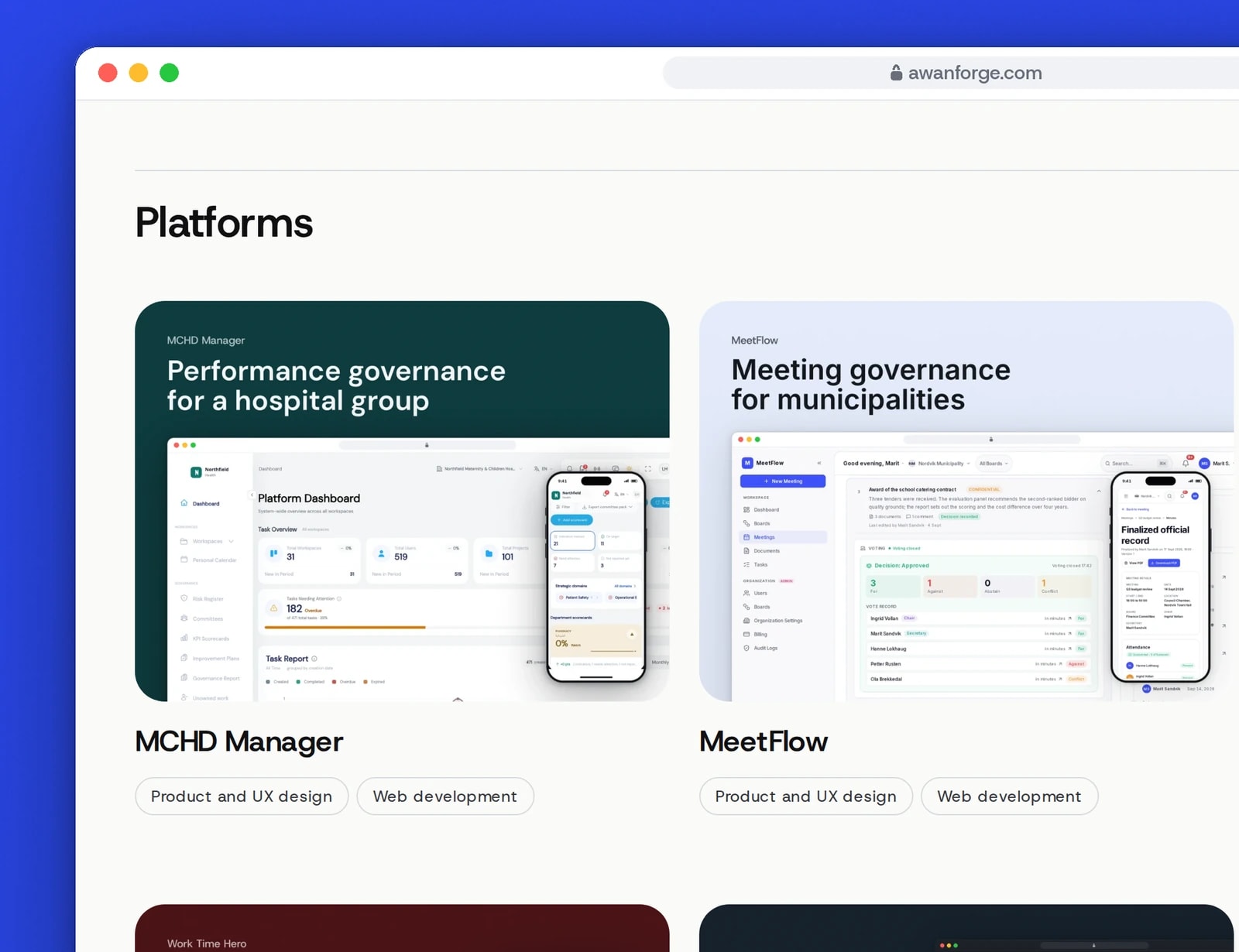
The work page groups the case studies into Platforms, Apps and Websites. Each card shows the project in its own colours.
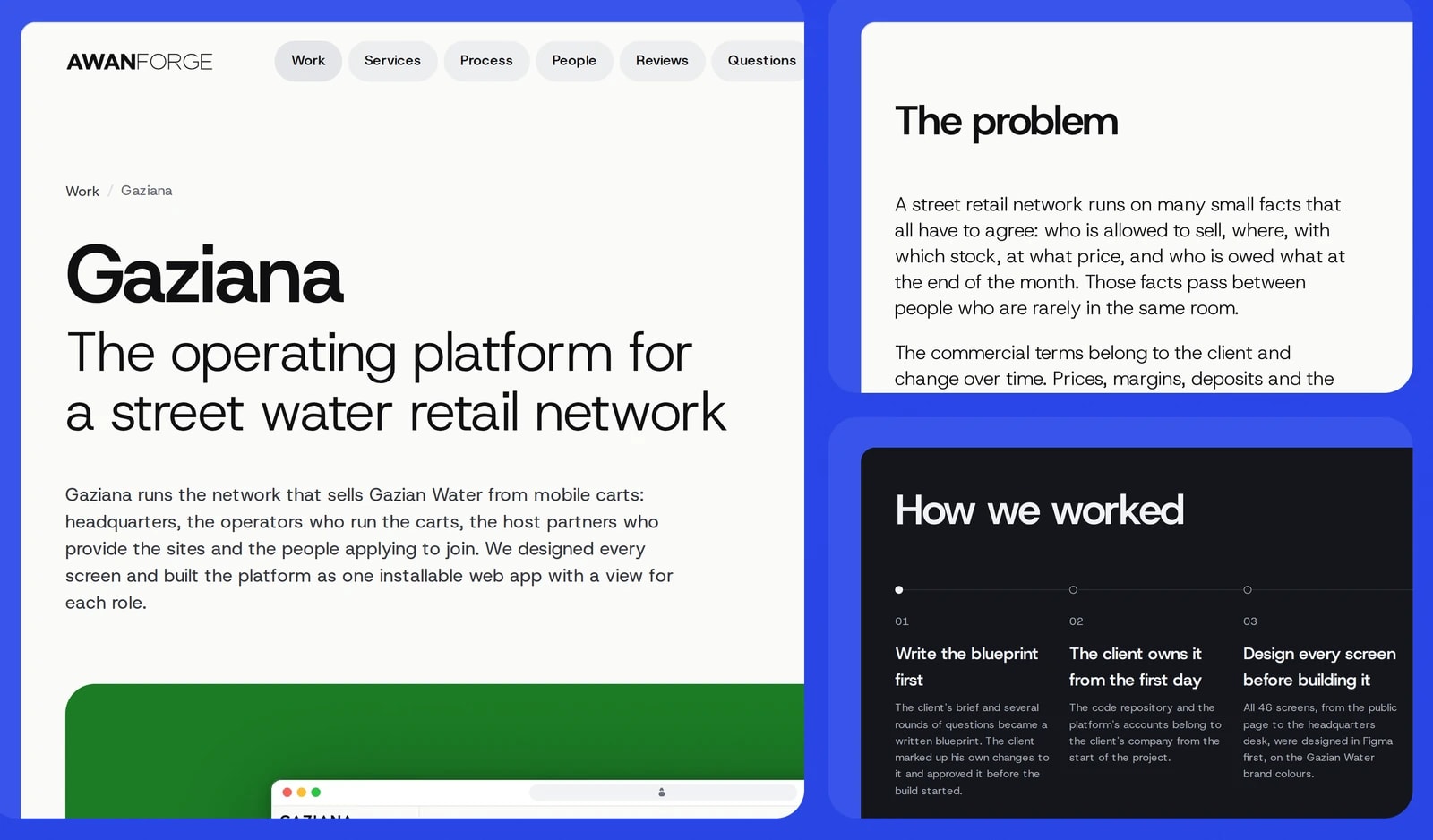
Case studies written like build logs
Each one states the problem, our role, how the work ran and the technical choices, in the same order.
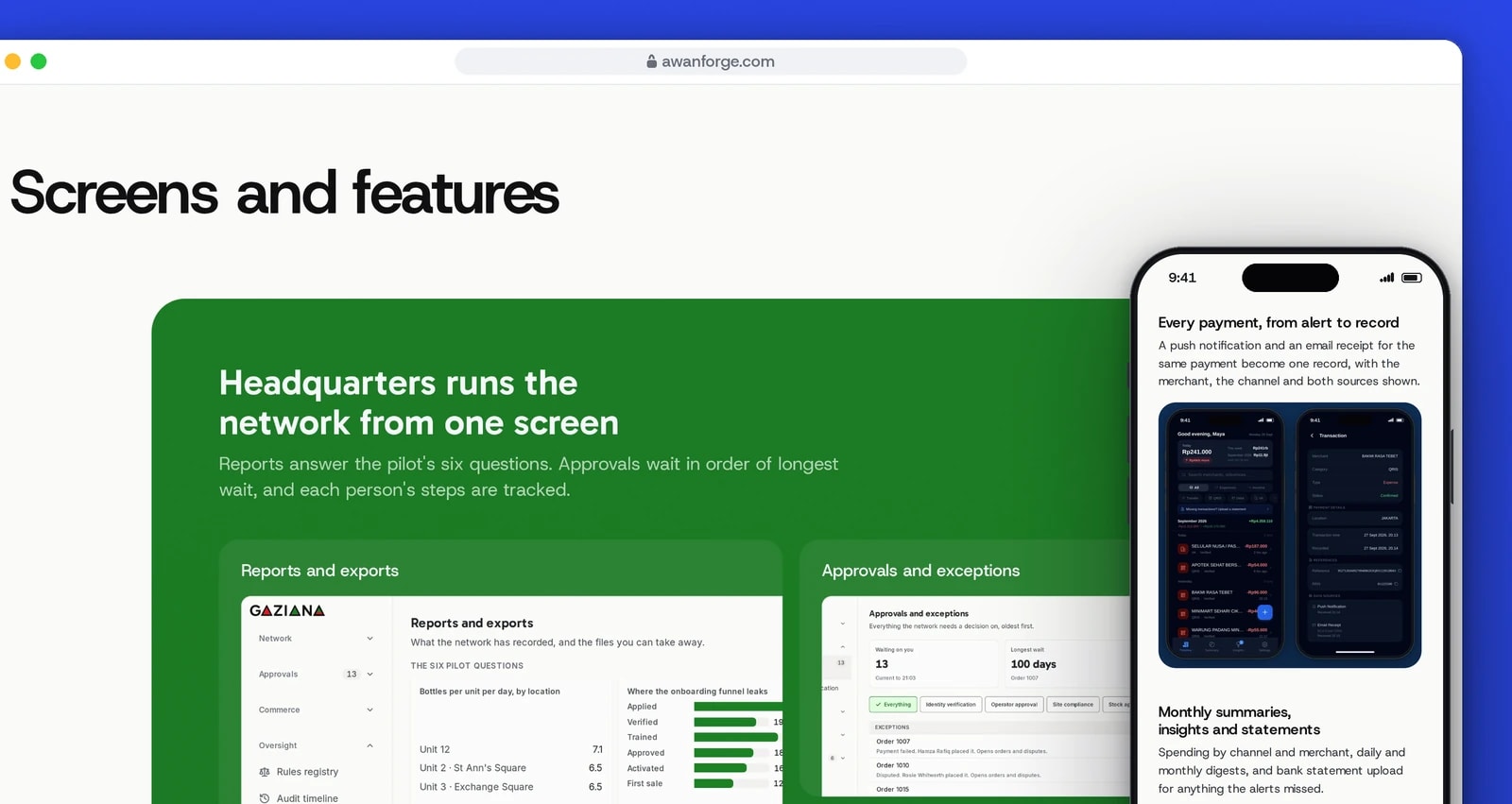
A gallery of screens in every case study
Each case study shows the product in large panels. On a phone every panel is cropped to its screens, with its heading as text.


A work page in three groups
Platforms, Apps and Websites, each with its number of projects. Every card shows the project’s cover, its name, its public address when it has one and the services we provided.
Galleries that fit a phone
On a wide screen each panel shows whole, with its heading set in the image. On a phone it is replaced by a crop of its screens, with the heading and caption as real text, and screen readers hear that text once at every width.
Drafts stay private
A study marked as a draft has no page, card or sitemap entry in a build but can be previewed locally. A client’s draft is left out of the build entirely until the client agrees to publish it.
Previews kept out of search
Only the build for awanforge.com can be indexed. Every other copy is served with a noindex tag and header, so a preview never competes with the live site.
Rules for AI crawlers
robots.txt lists the crawlers of AI search products, assistants and model training in separate groups, so each can be allowed or blocked on its own.
One founder across two sites
The structured data for the people section reuses the identifier iadnanahsan.com already publishes for its founder, so search engines see one person rather than two with the same name.
A pointer label and a floating button
Over a project image, a small label follows the pointer and names the case study it opens; it is for mouse and trackpad only. A Start a project button stays in reach between the hero and the contact section, and is hidden from the tab order when it is not shown.
Technical choices
What the product is built with, and why.
- Next.js 16 with the App Router
- Every page, each case study included, is prerendered to static HTML at build time, so search engines and AI crawlers read the full text without running scripts. Only published studies get a route.
- Imported images at quality 90
- Each image is imported by its content file, so a missing file fails the build, and Next.js serves it at the size the layout draws. Covers, cards and galleries ask for quality 90 because small interface text blurs at the default.
- Host Grotesk through next/font
- The typeface is self-hosted at build time with a metric-matched fallback, so a visitor’s browser makes no request to Google and text does not shift when the font arrives.
- Native details elements
- The services list and the questions are details elements. The services share a name, so only one opens at a time without any script.
- The studio’s own image kit
- Covers, cards and gallery panels are drawn from raw captures by a Python and Pillow kit, the same one that draws the studio’s Freelancer portfolio, so both show the same images.
Need a site that puts your work first?
Case studies written from the product itself, images composed at the right sizes and a build that checks them are all part of it. Tell us what you want to show.