Aurel GalleryA contemporary gallery’s website, with a shop for art and gifts
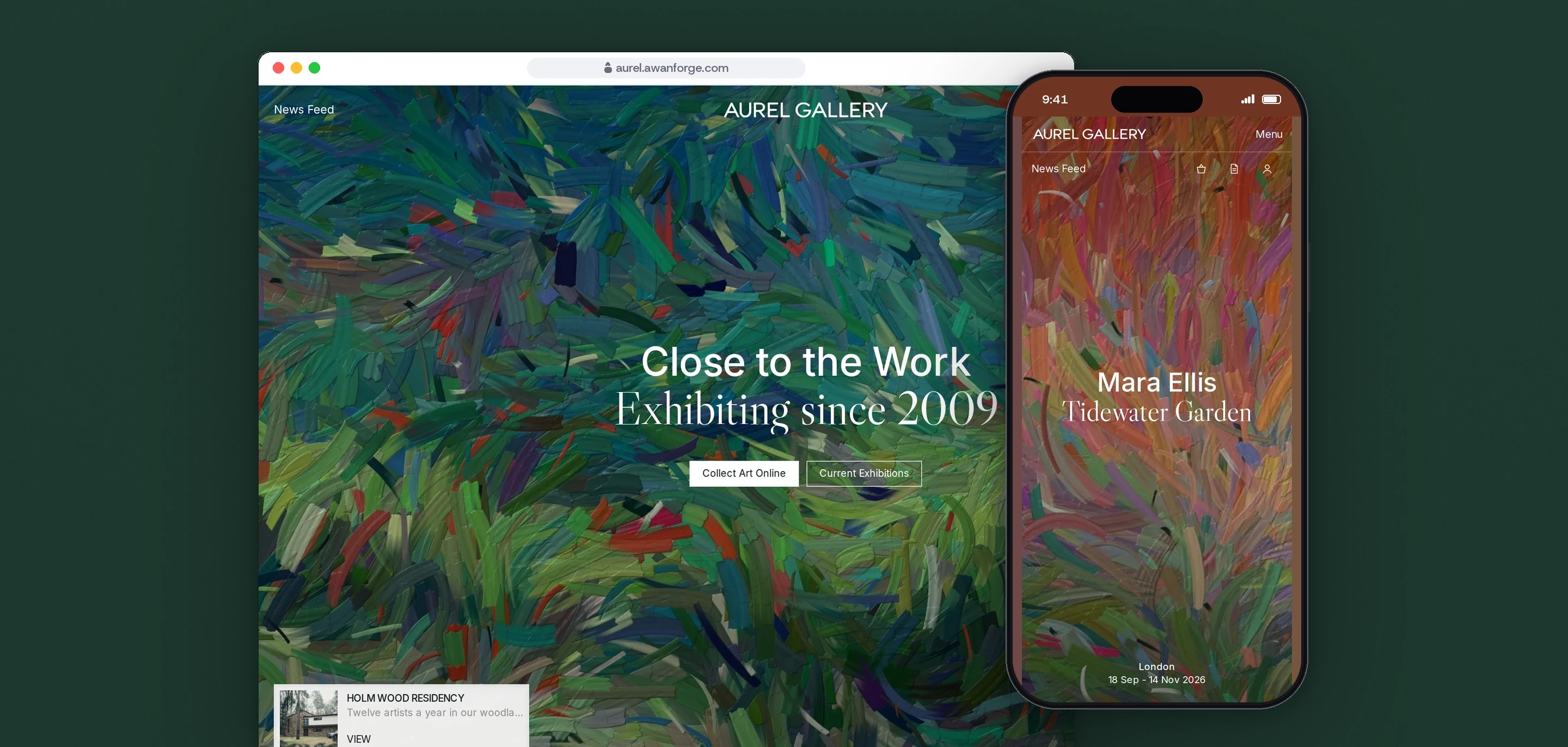
Our team designed and built Aurel Gallery, the website and shop of a contemporary art gallery with five locations. Exhibitions, artists, art fairs and a shop for original works, catalogues and gifts sit in one site.
- Client
- Own project
- Sector
- Art gallery
- Year
- 2026
- Platforms
- Website, Web store, Mobile web
- Services
- Product and UX design, Web development
A gallery’s public programme and its sales designed as one site: current and past exhibitions, artist pages, films and features, art fairs, a residency, five locations, a catalogue of works with prices or enquiry, and a gift store.
Built for
- Collectors buying a priced work online or enquiring about a larger one.
- Visitors planning a trip to an exhibition or one of the gallery’s locations.
- People following artists, films and news from the gallery.
The problem
A gallery site carries a programme and a market at once. Exhibitions, artists and films need an editorial voice, while works for sale need prices, availability and a way to buy that a collector trusts.
Not every work is sold the same way. Some have a price and can go in a basket, larger works are sold through a conversation with the gallery, some are already sold, and gifts can be ordered in quantity.
Rich imagery and motion are expected of a gallery, but a slow phone must not sit on a blank screen while scripts load, and every panel that slides over the page has to stay usable with a keyboard.
Goals
- 01Give exhibitions, artists and films the space of a printed catalogue.
- 02Design a basket path for priced works, an enquiry path for the rest, and a clear sold state.
- 03Keep catalogue filters in the address, so a filtered view can be shared.
- 04Start the opening motion before any script loads, and only on a first visit.
- 05Apply one rule to every menu and drawer: the page behind is inert, Escape closes it and focus returns.
Our role
We created the gallery, its artists and its programme, made the artwork images, and designed and built the website and shop.
What we delivered
- Identity in use: the Aurel wordmark, Inter with Libre Caslon, and a palette of ink, stone and forest
- Exhibitions with an archive, artists, Channel films and features, fairs, residency and locations
- A catalogue with filters for artist, medium, colour and price, kept in the address
- Artwork pages with a full-screen viewer, saving, buying and enquiry
- Gift store, basket, checkout and order confirmation
- News feed, enquiry, basket and newsletter drawers, and a collector profile kept on the device
- Prices shown in pounds, euros or dollars
- Site search across artists, works, exhibitions, films and the gift store
How we worked
- 01
Set titles like a catalogue
Every title has two lines: the name in Inter, then the exhibition or work in Libre Caslon Display. Artworks are never cropped: they sit whole on a pale ground with a soft shadow, as they would on a page.
- 02
Start the intro before the scripts
The opening curtain is CSS, switched on by a few lines of inline script once the hero image has loaded, so it does not wait for the JavaScript bundle. It plays once per session and never under reduced motion, and a time limit reveals the page if the image never arrives.
- 03
One engine per job
GSAP runs the menu, the drawers and the location stack, Motion runs the filter panel and the results, CSS runs the intro and the slider timer, and Lenis smooths the wheel on desktop only.
- 04
Say what each step does
Checkout says it asks for no card details and charges nothing, and enquiries and newsletter sign-ups say they are kept on the device and not sent. Converted prices are labelled as a fixed rate, checkout is always in pounds, phone numbers use ranges reserved for fiction, and email addresses end in .example.
Screens and features
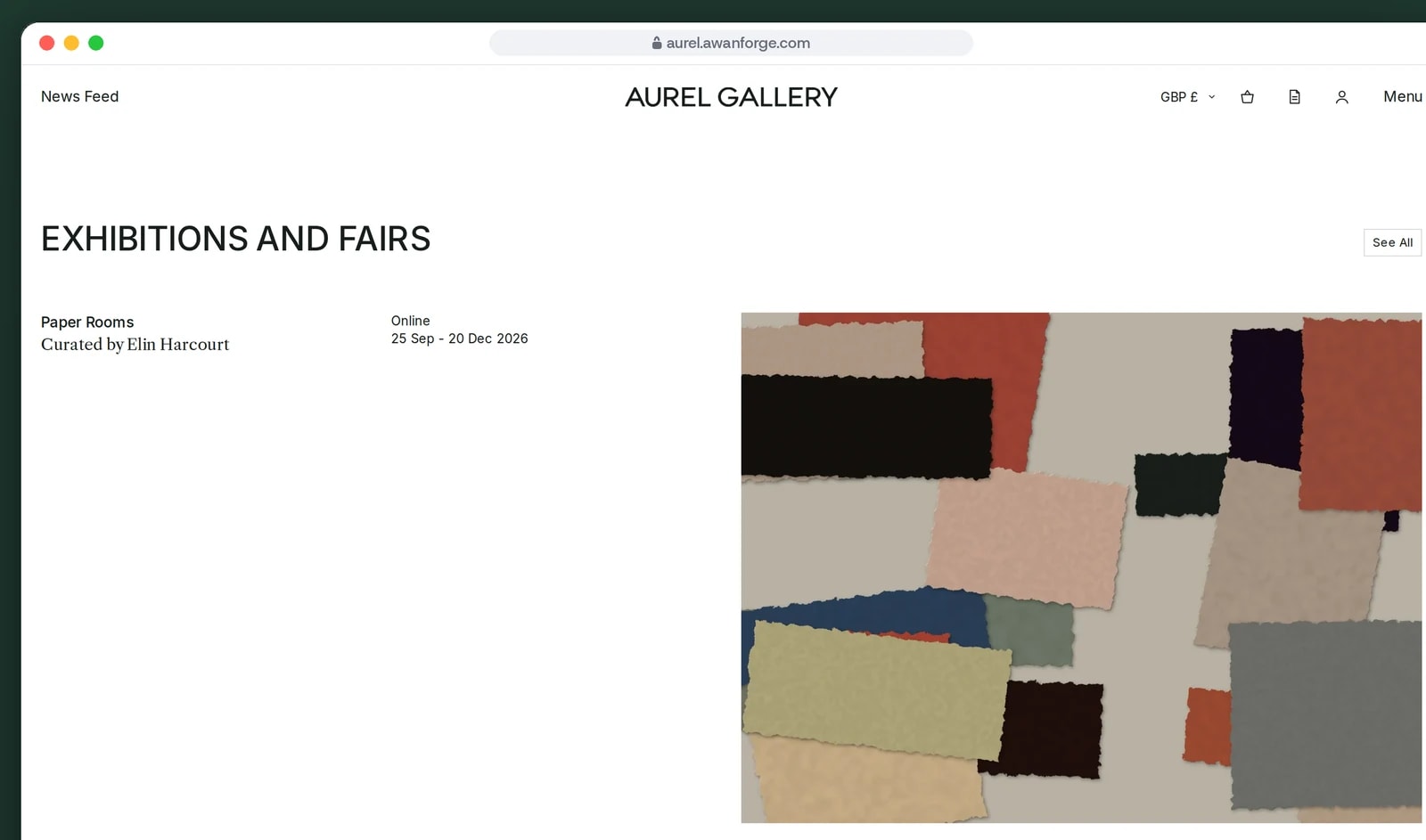
Exhibitions and fairs by place and date
Gallery shows, an online exhibition and an art fair are listed with their city and dates, each beside its own image.
Works to buy, or to ask about
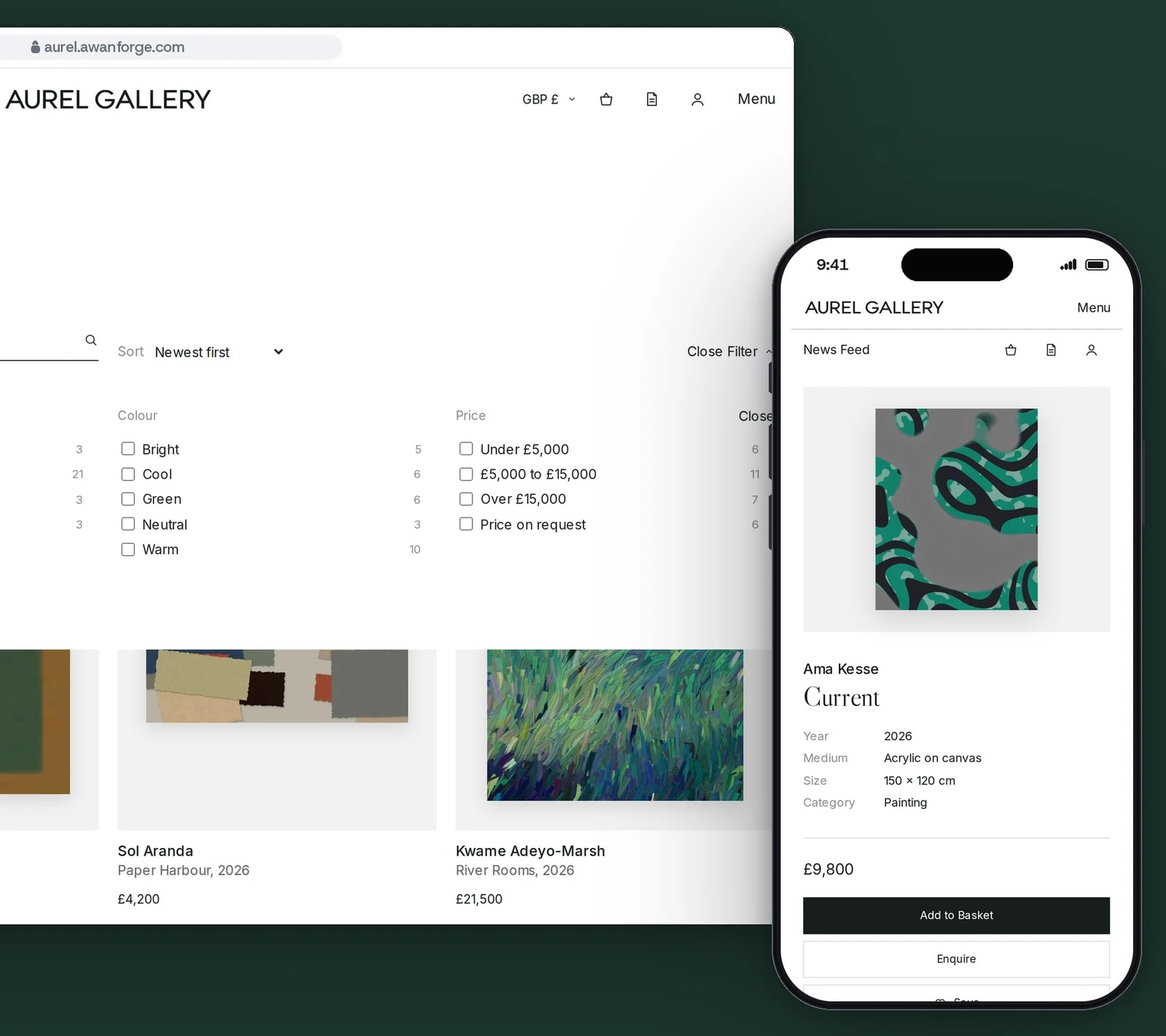
The catalogue filters by artist, medium, colour and price. Works with a price go to the basket, larger works to an enquiry.
Originals, books and prints in one basket
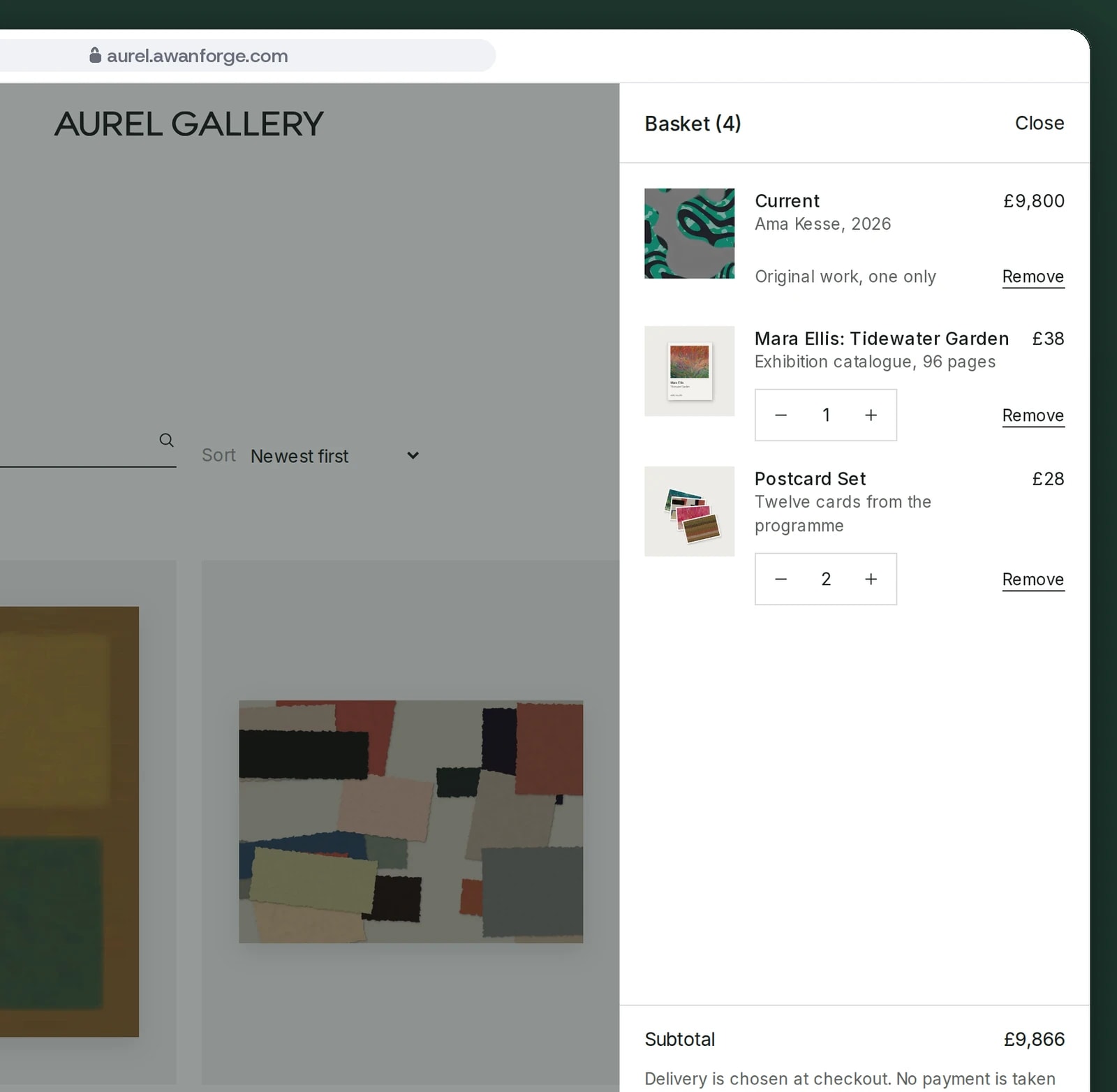
Each original can be added once. Catalogues and postcards take a quantity, and delivery is chosen at checkout.
Five locations in one scrolling stack
Each gallery’s photograph holds still while its address, hours and contact card scroll over it.
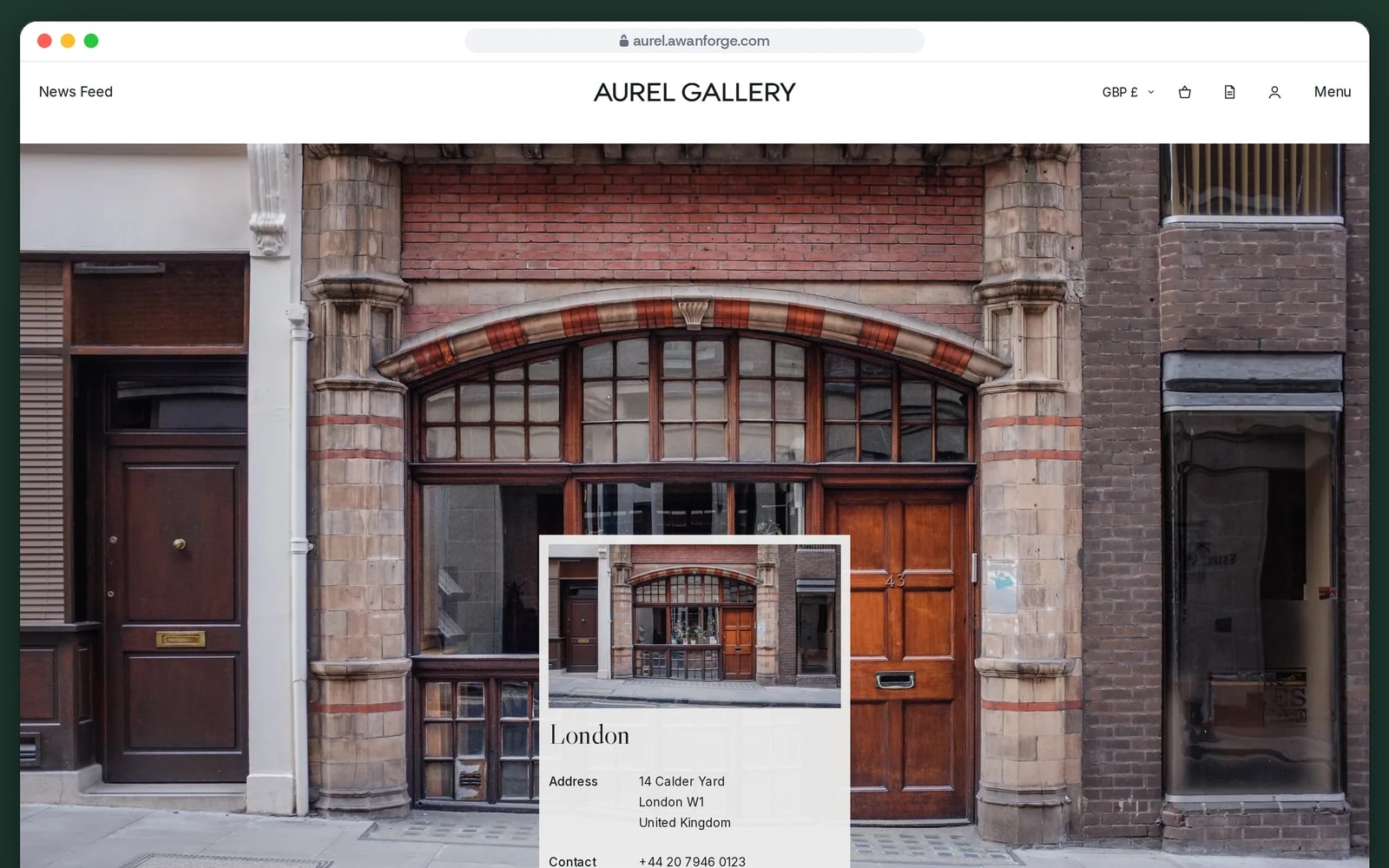


A menu curtain that survives fast clicks
The menu wipes down over the page with a clip path, its rows rise in sequence and the search field takes focus. Each open or close stops the animation already running, so rapid toggling never leaves it half drawn.
Drawers with one set of rules
The news feed, basket, enquiries, enquiry and newsletter panels each slide in on a GSAP timeline and reverse to close. Only one is open at a time, the page behind is inert and held at its scroll position, and focus returns to the button that opened it.
Locations that stack
Each location photograph fills the screen and holds at the top while the next slides over it, while the column of location cards drifts more slowly through ScrollTrigger. With reduced motion each card simply sits on its own photograph.
A What’s On slider with a visible timer
Slides move by native scroll snapping, so a swipe works as on any phone. A progress bar shows the time to the next slide, and the timer pauses on hover, on focus or with its pause button, and never starts under reduced motion.
Buy, enquire or see that it has sold
A priced work goes in the basket, and an original can be added once. A work without a price opens an enquiry form, a sold work offers an enquiry about similar works, and enquiries are listed in their own drawer. Standard post is unavailable for originals, which are set to travel by insured courier.
Filters with live counts
The catalogue filters by artist, medium, colour and price, and each option shows how many works it would leave. On wide screens the panel unfolds over the results; on phones it opens within the page.
A header that reads the page
Over a hero image the header is white on transparent, and it turns to ink once the hero has passed. The rule is written in CSS, so the first paint already has the right colours, and the header hides while scrolling down.
Technical choices
What the product is built with, and why.
- Next.js 16 with prerendered pages
- Every exhibition, artist, work, film, fair, location and gift has its own page generated at build time with its own title, while the basket, saved works, follows and enquiries live in the browser.
- GSAP with ScrollTrigger
- The menu curtain, the drawer timelines and the location stack are GSAP. With reduced motion the menu and the drawers fade in briefly instead, and the location stack stays still.
- Motion for the filter panel
- The filter panel and the reflowing results use Motion’s presence and layout animation, so the grid rearranges instead of jumping when a filter changes.
- Lenis on the GSAP ticker
- Wheel smoothing runs only for a mouse or trackpad with motion allowed, stepped by GSAP’s ticker so the scrubbed scenes stay in time. Phones keep their own scrolling.
- CSS :has() for page state
- The intro curtain and the header colours are chosen in CSS by what the page contains, so they are correct on first paint, before React has loaded.
Aurel Gallery is our own project. The gallery’s artists, works, exhibitions and locations are sample content, with images credited on the site’s Credits page. Checkout, enquiries, the collector profile and the forms show the complete flow without a payment provider or backend connected, so nothing is charged or sent.
Need a gallery site that also sells?
We design sites that give exhibitions room and make buying art straightforward. Tell us about your programme.